

Cashflow
by Asrosoft (0 Reviews) May 25, 2026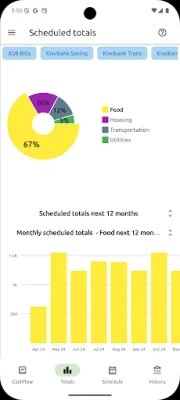
Latest Version
May 25, 2026
Asrosoft
Finance
Android
0
Free
com.asrosoft.cashflow
Report a Problem
More About Cashflow
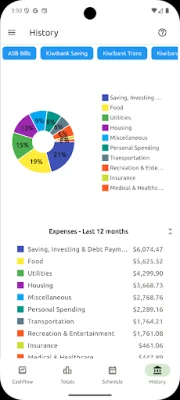
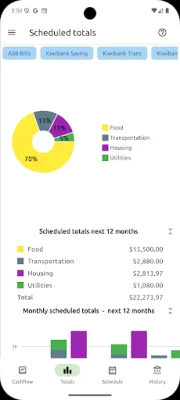
This application allows users to import historical banking transaction data and categorize it using pre-built categories or custom ones. This allows for a comprehensive view of categorized totals over a selected period, displayed as grand totals with a pie chart or a month-by-month bar chart. Users can also drill down into specific categories to view all the transactions that make up the total for that month.
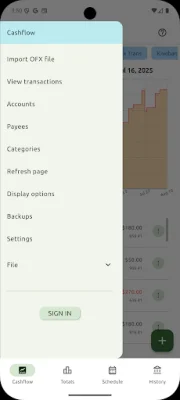
However, it is important to note that this application does not have the capability to manually enter historical transactions. It can only import data in OFX format, as specified by the Financial Data Exchange organization, CSV files, or through a supported Open Banking API. Therefore, if your bank does not support these formats, this application will not be suitable for you.
Multiple bank accounts can be managed within the application, with the option to view accumulated totals for selected accounts.
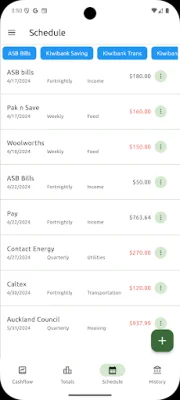
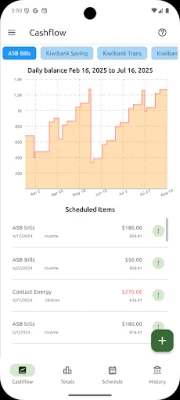
The schedule analyzer feature reviews all historical transactions and suggests potential additions to your cash flow forecast based on the frequency of transactions to specific payees.
All data is stored locally and is not accessible by anyone else, giving users complete control over their information. While a single database is typically sufficient, users have the option to create separate databases for different purposes. The application also offers a backup facility, with the option to share a backup file if needed.
Data can be synchronized across multiple devices, including Windows and Linux machines, allowing for easy access and backup. The application can automatically backup data to Google Drive whenever a change is made, and the latest backup can be restored to any other device, whether it be a desktop, mobile, or tablet. For a detailed guide on how to set up synchronization, users can refer to the provided link.
For users in New Zealand, this application offers the option to import banking transactions through the Akahu open banking API. This allows for all transactions to be imported with just one click, instead of having to import each account's transactions separately through OFX files. More information on this feature can be found on the provided link.
Rate the App















Popular Apps









