

Home budget with sync
by r6 apps (0 Reviews) May 25, 2026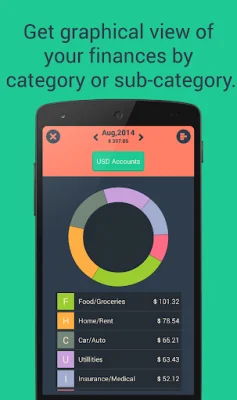
Latest Version
May 25, 2026
r6 apps
Finance
Android
0
$3.99
com.r6apps.expensemanager
Report a Problem
More About Home budget with sync
SMS Access is an optional feature of this app, which allows you to track your expenses and income by identifying bank and payment transaction messages. However, you can still manually enter your transactions if you prefer not to grant SMS permission. This app only reads and processes SMS data on your device and does not share it with anyone. Personal messages, OTPs, and conversations are not read or stored, and detected transactions are only shown for informational purposes.
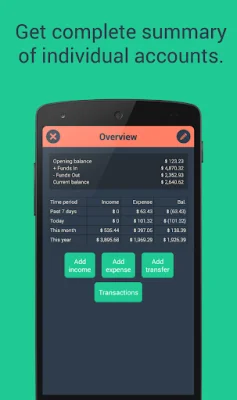
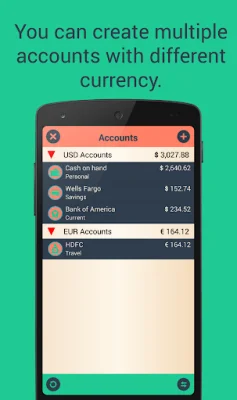
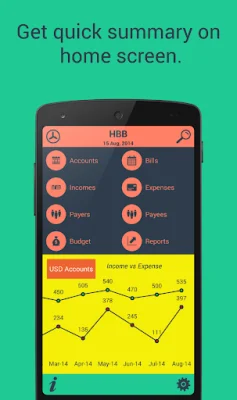
The app has 9 main modules, including Accounts, Entries, Payees/Payers, Bills, Budget, Statistics, Summary, Search, and Settings. In the Accounts module, you can add, edit, and delete accounts with multiple currencies. You can also choose to include or exclude future dates in your account total, set default payment status and method, and exclude unwanted account expenses from your budget.
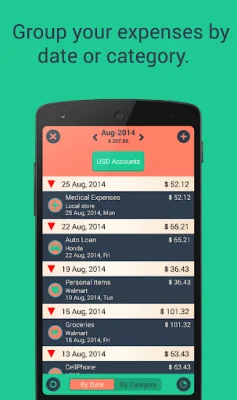
The Entries module allows you to add one-time or recurrent entries for incomes or expenses, with or without an end date. You can also choose to add repeat entries on the due date or all at once, and set tags to help with searching. The Payees/Payers module allows you to manage the individuals or organizations you pay or receive money from, and you can see the amount paid to them in a month-wise breakdown.
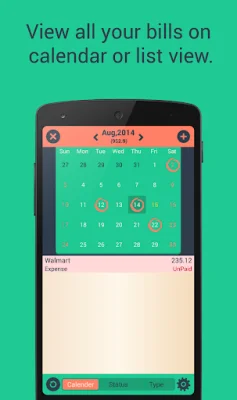
In the Bills module, there are three types of bills: income, expense, and transfer. You can mark bills as paid and they will be added as income or expense accordingly. The Budget module allows you to set budgets for multiple currencies, based on a cycle and start date. You can also enable or disable roll over and check budget history for an overview of your budget and expenses during a specific period.
The app also has a Reports module, where you can view month-wise or date-specific reports for income and expenses. The Search module allows you to search for specific transactions by subcategory or tags. In the Settings module, you can set your home currency, lock the application, adjust display settings, and manage database backups and sync between devices. You can also export and import data in .csv format.
If you have the Lite version of the app and want to restore your data after purchasing the Full Version, you can do so by opening and closing the Full Version app. This will unlock the create backup option in the Lite version, allowing you to create a backup. Then, in the Full Version, you can restore the backup from the Lite version. Overall, this app offers a comprehensive and secure way to track your finances and manage your budget.
Rate the App















Popular Apps









