

my Raiffeisen mobile app
26.7.3.b1 by Raiffeisen Bank International AG (0 Reviews) May 12, 2026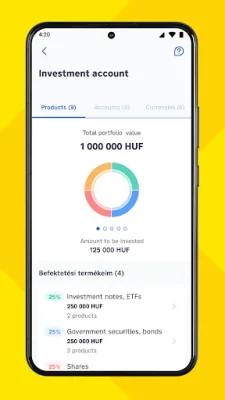
Latest Version
26.7.3.b1
May 12, 2026
Raiffeisen Bank International AG
Finance
Android
0
Free
com.rbinternational.retail.mobileapp
Report a Problem
More About my Raiffeisen mobile app
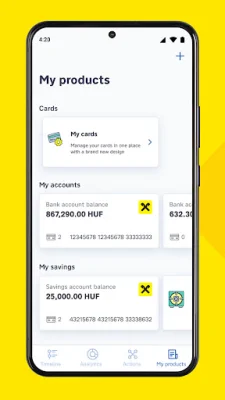
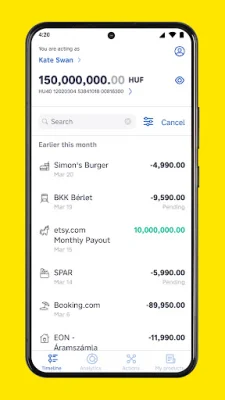
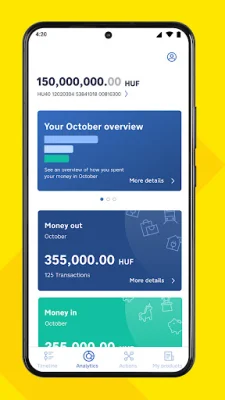
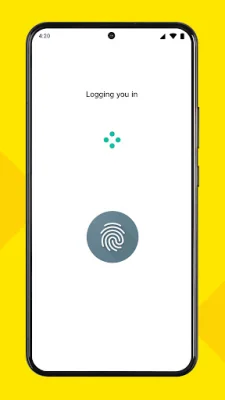
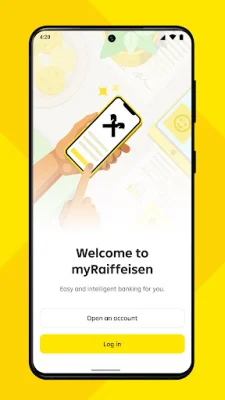
Take your ID and address card, and for business accounts, have your tax number ready. To open a new account, simply click on the "Open new account" button. From there, you can select your desired account and card, and provide your contact information. Be sure to carefully read and accept the terms before proceeding. Next, you will need to scan your documents and the NFC chip of your ID. After that, take a selfie and sign the contract with an SMS code. Once completed, you can log in with the provided code and start using your account. With the myRaiffeisen mobile application, you can easily manage your daily banking needs anytime, anywhere. This user-friendly and secure app allows you to make transfers, pay off credit cards, set up standing orders and direct debits, and track your finances. Your data and transactions are protected with a PIN code or biometric authentication. Not only can you keep track of your transactions, but the app also provides a space called Analytics where you can see how you spend your money. By automatically categorizing and grouping your spending, you can easily identify areas where you may have spent a lot. All of your Raiffeisen bank accounts, debit cards, credit cards, and term deposits can be managed in one convenient place. This includes the ability to change card limits, view your overdraft and investment portfolio, create or terminate term deposits, and activate, block, or unlock your cards. The app also makes banking tasks easier and more efficient. You can log in and authorize transactions with your fingerprint or mobile token, make transfers to email, mobile number, tax number, or ID, manage card limits, pay off credit cards, open foreign currency accounts, and apply for personal loans, overdrafts, and credit cards. You can also view, create, and delete standing orders and direct debits, request payments and send money via QR codes, and authorize online purchases. To activate the app, you will need to have an account or credit card with Raiffeisen Bank Hungary, as well as valid DirektNet credentials for internet banking. The app is compatible with smartphones operating on Android 7.0 or later. To register, simply download the app, log in with your internet banking credentials, and choose a PIN code or biometric authentication. At Raiffeisen Bank, we are constantly using technology to improve and enhance your banking experience. We are always working on new features and updates, so stay tuned for more. If you enjoy using our app, please give us a rating. And if you have any suggestions for improvement, please let us know via email at [email protected]. We value your feedback and strive to provide the best banking experience possible.
Rate the App














Popular Apps









