

N Calc: A Fun Calculator
2.1.0 by Hearthborn (0 Reviews) July 11, 2026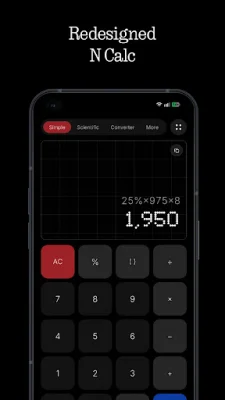
Latest Version
2.1.0
July 11, 2026
Hearthborn
Education
Android
0
Free
com.hearthborn.studios.ncalc
Report a Problem
More About N Calc: A Fun Calculator
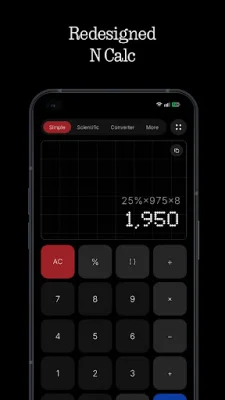
This application is undergoing a complete redesign of its user interface, promising a fresh and improved experience for its users. The new interface will feature enhanced usability, smoother interactions, and a cleaner visual design throughout the app. This will make using the app more enjoyable and efficient for all users.
One of the main features of this app is its powerful scientific calculator. It offers a wide range of essential functions that are useful for students, professionals, and everyday users. This calculator allows for advanced calculations to be performed quickly and accurately, making it a valuable tool for various purposes.
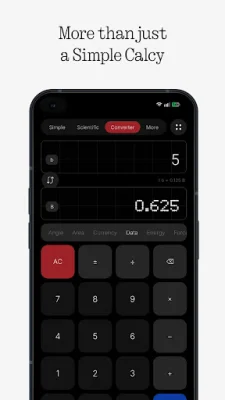
In addition to the scientific calculator, the app also offers a growing collection of converters. These converters allow for quick and accurate unit, currency, and measurement conversions. This feature is especially useful for those who frequently need to convert between different units and currencies.
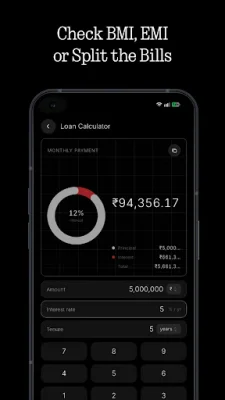
The app also includes new built-in utilities for financial and health purposes. These include a BMI calculator, EMI calculator, loan calculator, and split bill calculator. These tools make it easier for users to manage their finances and track their health, all within the same app.
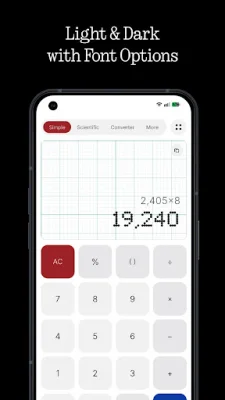
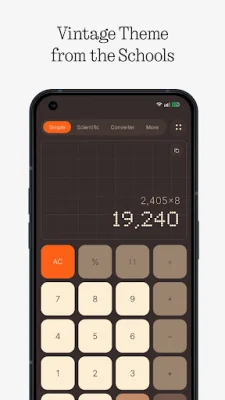
For those who like to personalize their apps, the new version offers a range of beautifully crafted themes to choose from. This allows users to customize the appearance of their calculator to their liking. Additionally, there are more customization options available for the app's appearance and behavior, allowing users to tailor it to their preferences.
The app also now supports landscape mode, providing a more spacious and productive layout for users who prefer to use their device in this orientation. This is especially useful for those who need to perform calculations or conversions while multitasking on their device.
Finally, the new version of the app promises various performance improvements, including optimizations, bug fixes, and refinements. This will result in a smoother and more reliable experience for users, making the app even more efficient and enjoyable to use.
Rate the App













Popular Apps









