

SonosTalk - Intercom for Sonos
1.2.3 by Frontier App Limited (0 Reviews) July 11, 2026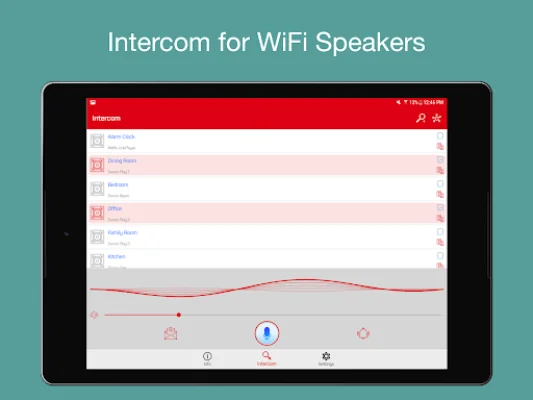
Latest Version
1.2.3
July 11, 2026
Frontier App Limited
Entertainment
Android
0
Free
frontier.intercomwifi
Report a Problem
More About SonosTalk - Intercom for Sonos
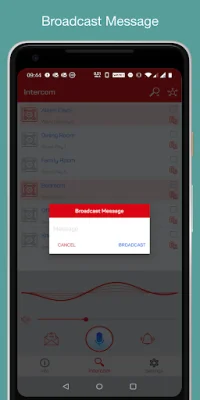
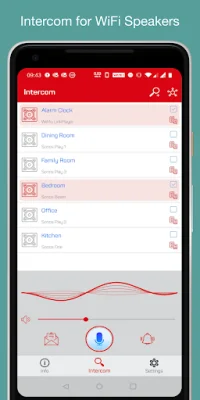
SonosTalk is an application that allows users to send messages through their WiFi speakers. This means that instead of using a traditional phone or messaging app, users can use their WiFi speakers to broadcast their message. This feature is especially useful for situations where a user needs to communicate with a large group of people, such as in a party or event.
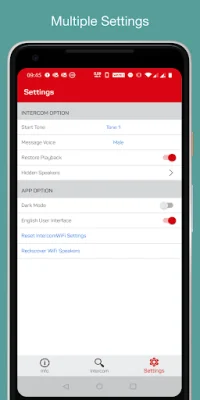
The main features of SonosTalk include the ability to speak through WiFi speakers, broadcast messages via WiFi speakers, and support for restoring playback. This means that if there is any interruption in the message, the app will automatically resume playing from where it left off. Additionally, SonosTalk also supports a start tone, which is a sound that plays before the message begins, and a Mic reverb effect, which adds an echo effect to the user's voice.
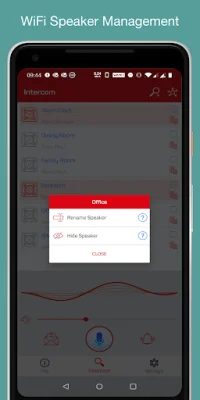
Another unique feature of SonosTalk is its support for message voice change. This means that users can change the sound of their voice when broadcasting a message, adding a fun and creative element to their communication. The app also allows users to group their WiFi speakers, making it easier to send a message to multiple speakers at once.
SonosTalk is compatible with WiFi speakers that use DLNA / UPnP technology, such as Sonos, Bose SoundTouch, and HEOS. This means that users can use a variety of different speakers with the app, making it accessible to a wider audience.
In order to improve the app, SonosTalk encourages users to provide feedback and report any bugs they may encounter. Users can reach out to the support team via email and any feedback is welcome. The team behind SonosTalk is dedicated to continuously improving the app and making it the best it can be for its users. So, if you're looking for a unique and convenient way to send messages, give SonosTalk a try!
Rate the App















Popular Apps









