
Who steals connect your Wi-Fi?
3.6 by Internet speed test master (0 Reviews) May 14, 2026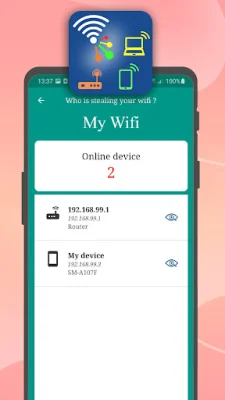
Latest Version
3.6
May 14, 2026
Internet speed test master
Tools
Android
0
Free
com.copyfiles.moveto.sdcard
Report a Problem
More About Who steals connect your Wi-Fi?
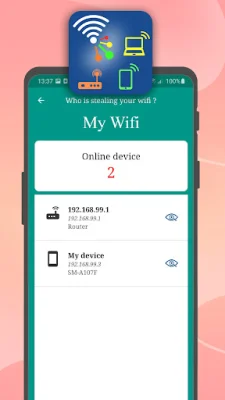
Are you concerned about the security of your WiFi network? Do you suspect that someone may be using your WiFi without your knowledge? If you've noticed a decrease in your internet speed, it's possible that someone is using your home WiFi to stream movies or download large files without your permission. But don't worry, with the "Who steals connect your WiFi?" app, you can easily detect and view all devices connected to your WiFi network and learn how to block them.
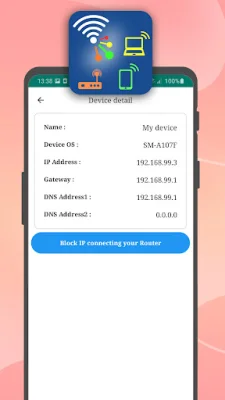
This user-friendly app allows you to view details of each connected device, such as its name, manufacturer, IP and MAC address, up to the time of detection. You can also analyze the connection quality of all WiFi networks around you and find out where your WiFi signal strength is strongest. This is especially useful if you have multiple WiFi networks in your area and want to make sure you're connected to the best one.
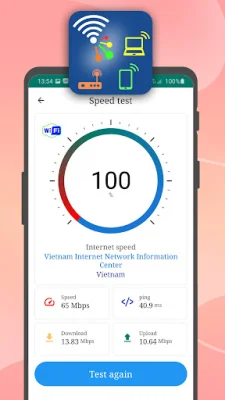
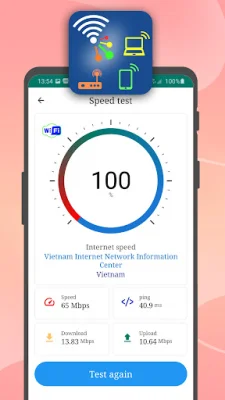
But that's not all - the app also provides full technical information about your current network connection speed, including WiFi, 5G, 4G LTE, or 3G. This includes details such as your IP, DNS, MAC address, and frequency. You can even measure the signal strength of your WiFi and 5G, 4G LTE, and 3G connections, as well as view your upload and download speeds and Ping information.
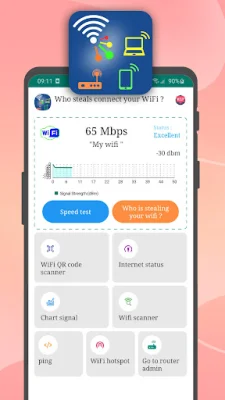
With the network speed test meter, you can see a signal strength chart in dBm units, making it easy to find a good WiFi signal to connect to. And if you're on the go, you can use the app to turn your phone into a WiFi hotspot and share your internet connection with other users.
The app is constantly being updated with new features, such as a router admin login page, WiFi network scanner, and a ping latency test to web/IP. It also offers helpful tools like a WiFi QR code scanner, internet status checker, and a help section. So why wait? Download "Who steals connect your WiFi?" now and take control of your WiFi network's security and speed. And the best part? It's completely free and available for both Android and iOS devices.
Rate the App











Popular Apps









