
ZenithBankToken
1.1.0 by Zenith Bank (0 Reviews) July 12, 2026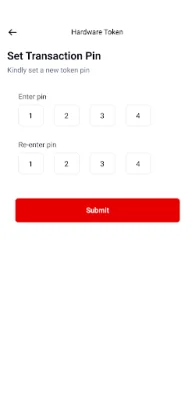
Latest Version
1.1.0
July 12, 2026
Zenith Bank
Finance
Android
0
Free
com.zenithbank.zenithtoken
Report a Problem
More About ZenithBankToken
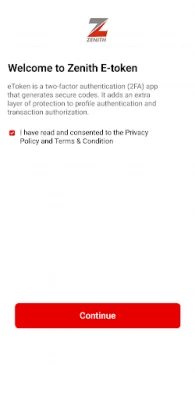
The application is designed to help customers activate a token on their device for a one-time charge of N1500. By activating the token, the customer agrees to have the relevant linked account debited with the applicable activation charge. The bank reserves the right to review this charge without prior notice to the customer.
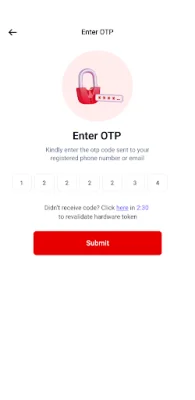
A one-time password (OTP) is a series of characters that serves as an automatic authentication for a single transaction or session. It is an alternative to the hardware token and can be used to activate the app.
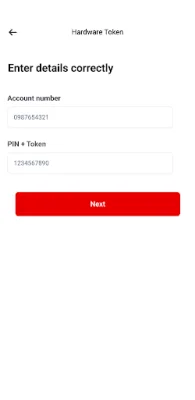
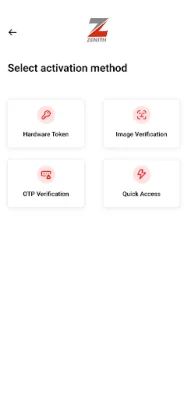
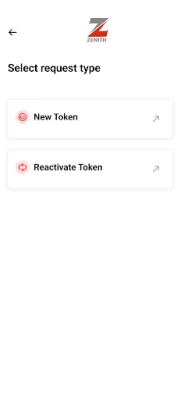
To activate the app, customers can follow these steps: click on "New Token" and register as an individual. Then, select the preferred activation method. For hardware token, the customer will need to enter their account number, 4-digit server PIN, and hardware token code. For quick access, they can visit a bank branch to generate an activation code for the app. For image verification, the customer will need to enter their account number, date of birth, and complete a liveliness check. For OTP verification, they will need to enter their account number, date of birth, and the OTP sent to their registered mobile number.
For corporate customers, the process is similar. They can register as a corporate and select their preferred activation method. For quick access, they can visit a bank branch to generate an activation code for the app.
The application is constantly evolving and the bank may review the activation charge at any time without prior notice to the customer. It is important for customers to keep their activation details safe and secure to prevent unauthorized access to their accounts. By following the simple steps outlined in the app, customers can easily activate their token and enjoy secure transactions and sessions with the bank.
Rate the App















Popular Apps









