
FTP Tool, Pro
1.2.6 by Lites App (0 Reviews) May 25, 2026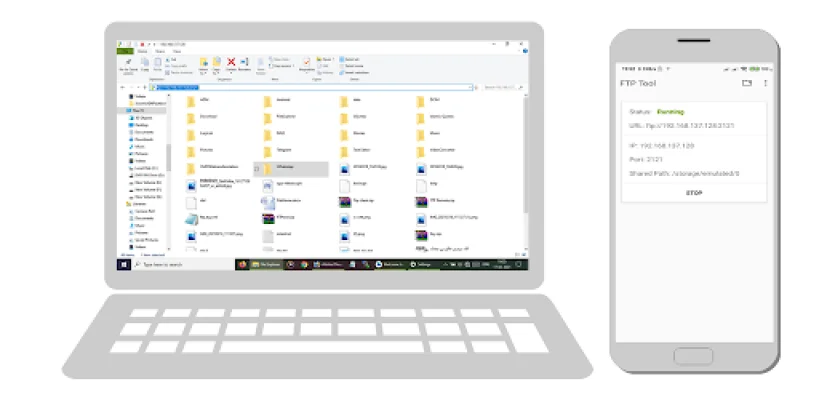
Latest Version
1.2.6
May 25, 2026
Lites App
Tools
Android
0
$3.99
com.litesapp.ftptool
Report a Problem
More About FTP Tool, Pro
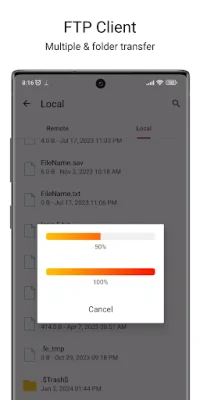
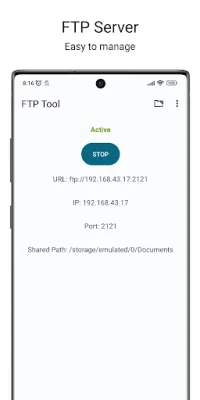
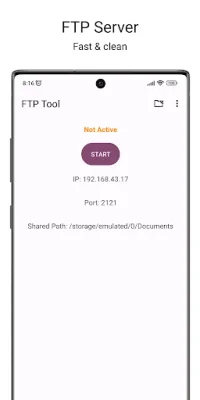
FTP Tool Pro is a versatile application that allows you to easily share files between devices on your network. With its FTP server and client functionality, you can turn your phone into a server and connect to remote servers to manage file transfers. The app also offers advanced security features, lightning-fast performance, and smart tools for a seamless user experience. One of the key features of FTP Tool Pro is its ability to turn your phone into an FTP server, allowing you to instantly share files with any device on your network. It also functions as a full FTP client, giving you the ability to connect to remote servers, browse files, and manage transfers. The app offers dual-mode operation, working both online and offline for maximum flexibility, and supports hotspot connections, allowing you to share files anywhere. FTP Tool Pro takes security seriously, offering military-grade SSL/TLS encryption for all file transfers. It also has a secure login system with customizable permissions and professional-grade security protocols for certificate management. With its safe file sharing feature, you can control who has access to your files. The app is optimized for lightning-fast performance, with turbo speed transfers and the ability to continue transfers even when the app is minimized. It also has the option to resume interrupted transfers, ensuring you never lose progress on large files. Additionally, FTP Tool Pro uses efficient compression to reduce transfer times and bandwidth usage. FTP Tool Pro offers smart features such as QR code sharing, allowing you to instantly share connection details with a simple scan. It also has an HTTP web server, giving you access to files through any web browser. The app has an auto-discovery feature that automatically finds and connects to nearby FTP servers, and a connection manager to save and organize multiple server connections. The user experience is a top priority for FTP Tool Pro, with a beautiful and intuitive Material Design UI and support for 8+ languages. The app also has a file explorer for easy file management and real-time monitoring of all file operations. You can stay informed about transfer status with the notification system. FTP Tool Pro is perfect for business professionals, developers and IT professionals, home users, and students and educators. It allows for instant sharing of presentations and documents, access to office files from anywhere, secure client file exchanges, quick deployment of files to servers, backup and sync of development projects, remote server management, transfer of photos and videos to PC, file sharing between family devices, and backup of important documents. FTP Tool Pro stands out from other FTP apps with its ad-free experience, professional-grade features and security, lightweight storage footprint, stable connections and error recovery, regular updates, and responsive customer service. The app supports FTP, FTPS, SFTP, and HTTP/HTTPS protocols, SSL/TLS and AES encryption, and is compatible with Android 6.0+ (API 23+) devices. It can be used with WiFi, mobile data, and hotspot connections, and supports internal storage, SD card, and cloud storage file systems. The app offers active and passive transfer modes, as well as binary and ASCII transfer options. Users have praised FTP Tool Pro for its fast and secure file transfers, simple QR code sharing feature, and professional quality with enterprise-level features. The app also offers a free version with limited features for users to try before purchasing the full version. For any help or suggestions, the FTP Tool Pro team is available via email with a response time of within 24 hours. Download FTP Tool Pro today and experience the future of wireless file transfer with its FTP server and client functionality, advanced security, lightning-fast performance, smart features, and user-friendly interface.
Rate the App















Popular Apps









