

Bulk Sender for Marketing - WA
by QuantumLoom (0 Reviews) July 16, 2026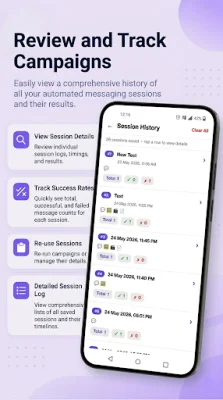
Latest Version
July 16, 2026
QuantumLoom
Tools
Android
0
Free
com.directchat.wa
Report a Problem
More About Bulk Sender for Marketing - WA
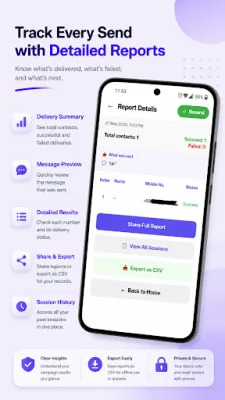
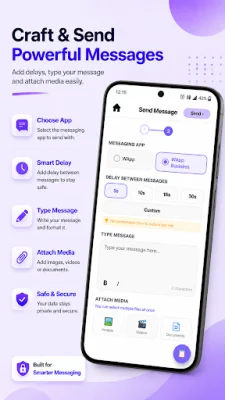
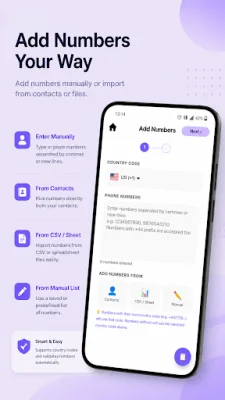
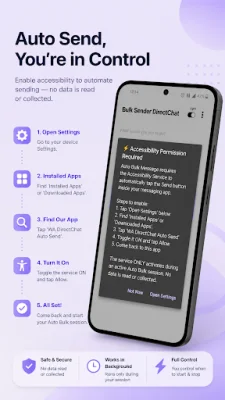
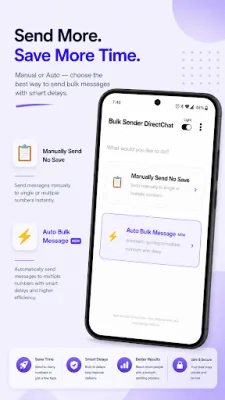
DirectChat Bulk Send Marketing is an app that allows you to quickly send messages without having to save contacts. It also helps you manage bulk promotional messaging for your business or personal use. With this app, you can easily send messages to multiple numbers, import contacts from CSV files, attach media files, and track messaging sessions all in one place. This app is perfect for small business owners, freelancers, marketers, online sellers, and support agents as it makes communication faster and easier. It offers a variety of features to help streamline your messaging process. One of the main features of DirectChat Bulk Send Marketing is the ability to start chats instantly without saving phone numbers to your contacts. You simply enter the number, type your message, and open the chat directly in your preferred messaging app. Another useful feature is the bulk message sender, which allows you to send promotional or business messages to multiple contacts at once. You can add numbers manually, paste numbers separated by commas or new lines, import CSV files, or select contacts directly from your device. This is a great tool for business holders and users/customers who need to send important messages in bulk to their contacts. The app also supports CSV import, making it easy to import hundreds of numbers quickly for bulk messaging campaigns. You can also attach images, videos, documents, or files to your messages and set a custom delay time between each message during bulk sending sessions. DirectChat Bulk Send Marketing also offers session tracking and reports, allowing you to track and export messaging sessions with successful, failed, skipped, and remaining status reports. It supports numbers with or without country codes and has a modern UI with full dark mode and light mode support. This app is perfect for business promotions, customer follow-ups, product marketing, bulk announcements, sales and support teams, freelancers and agencies, and messaging unknown numbers instantly. To use the bulk messaging feature, simply open the app, select the country code, add numbers manually or from contacts or CSV, select your preferred messaging app, set a delay time, type your message and attach media if needed, and tap send to start the bulk messaging session. Before starting a bulk messaging session, make sure your selected messaging app is installed and unlocked on your device. The app also uses the Accessibility Service API to help automate message sending actions, but it is only used for specific purposes and does not collect personal data or track user activity outside of the app. In terms of privacy, this app does not collect, store, or share personal chats, phone numbers, or private messages. It is an independent tool developed by QuantumLoom and is not affiliated with or endorsed by any messaging company or WhatsApp LLC. Some keywords associated with this app include direct chat without saving number, bulk message sender, promotional message sender, business messaging tool, and bulk marketing tool.
Rate the App















Popular Apps









