

Assistive Touch: Touch Panel
by I9 Sports Association - Chapter 440 (0 Reviews) July 15, 2026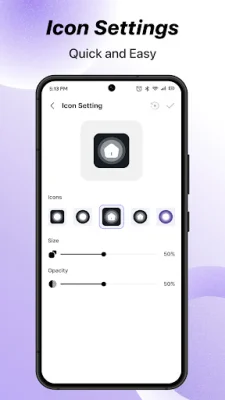
Latest Version
July 15, 2026
I9 Sports Association - Chapter 440
Tools
Android
0
Free
com.assistivetouch.quicksetting.homebutton.quickcontrol.smarttouch
Report a Problem
More About Assistive Touch: Touch Panel
The Assistive Touch: Touch Panel app is a convenient and versatile tool that allows you to access shortcuts, customize gestures, and record your screen with ease. It serves as an all-in-one assistant panel designed to simplify your daily tasks and enhance your overall user experience. Whether you need to replace broken hardware buttons or streamline your workflow, this app offers powerful features at your fingertips.
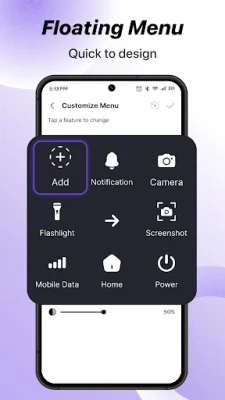
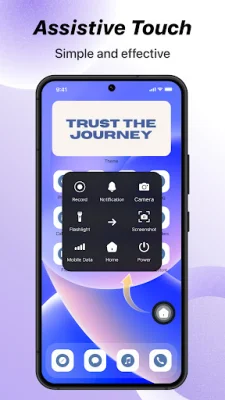
One of the main features of this app is the ability to enable Assistive Touch, which adds a smart floating button to your device for quick and easy control. You can also customize the menu by choosing and organizing quick actions such as taking a screenshot, opening the camera, turning on the flashlight, and more. Additionally, you can personalize the look of your floating button by selecting your favorite icon styles.
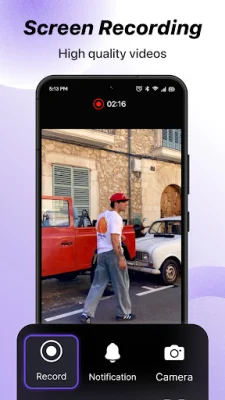
The app also allows you to create custom gestures to trigger actions like opening apps or locking the screen. This feature is especially useful for multitasking and can help you save time and effort. Another useful feature is the screen recording function, which allows you to record your screen with just one tap. This is perfect for creating tutorials or capturing important moments.
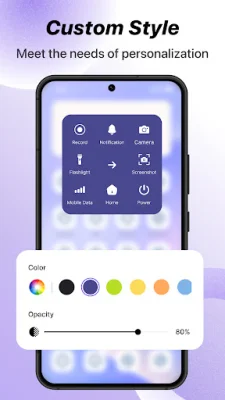
With the color and opacity control feature, you can adjust the appearance of your control panel to suit your preferences. This adds a personal touch to your user experience and makes it easier for you to navigate the app. Whether you're multitasking, recording your screen, or simply want faster access to settings, this smart touch assistant can help you do more with fewer taps.
The app utilizes the Accessibility Service to enable the Assistive Touch: Touch Panel overlay on your device screen. This allows for a seamless and user-friendly experience. The app also leverages Accessibility Service capabilities to support features like adjusting volume, managing music playback, and dismissing system dialogs. Rest assured that the app does not collect or share any personal data related to the Accessibility Service permission, ensuring your privacy and safety are protected. So why wait? Try the Assistive Touch: Touch Panel app now and make your phone easier to use!
Rate the App















Popular Apps









