

Network Tools: WiFi Analyzer,
by Fit Tech (0 Reviews) May 23, 2026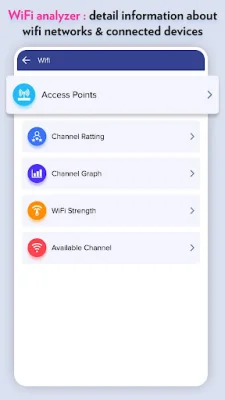
Latest Version
May 23, 2026
Fit Tech
Tools
Android
0
Free
com.fittech.network.tools
Report a Problem
More About Network Tools: WiFi Analyzer,
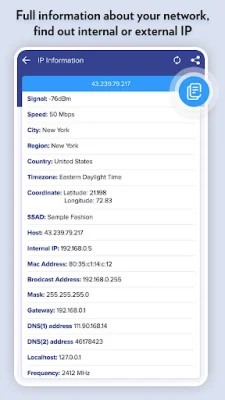
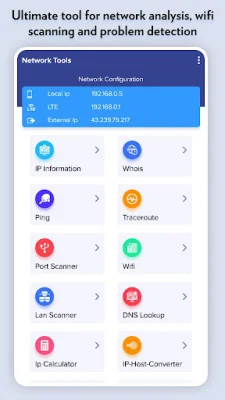
IPInfo is an application that provides a comprehensive summary of your network information. It displays details such as the wireless network type, status, name, and IP address. With this app, you can easily view your internal or external IP address and other important network information.
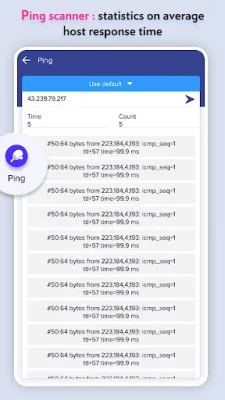
The Ping feature allows you to test the connection speed between your device and a host. It shows the time it takes for packets to reach the host, giving you an idea of the network's performance.
The Traceroute feature is useful for troubleshooting network issues. It helps you discover all the intermediate hops that packets pass through on their way to their destination. This can help identify any potential problems or delays in the network.
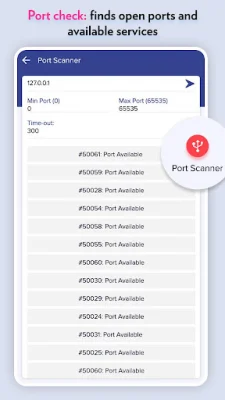
The Port Scanner feature allows you to scan for open TCP ports on a host. This can be helpful in identifying available services and potential vulnerabilities on a network.
The Whois Lookup feature allows you to view DNS records for a given domain or hostname. This can be useful for checking the ownership and registration information of a website.
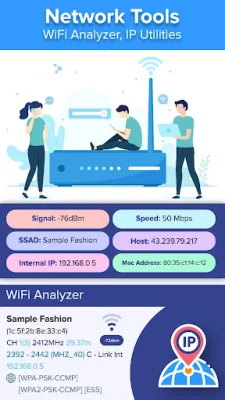
The Wi-Fi Scanner feature displays a list of available Wi-Fi connections, along with details such as the WiFi band, signal strength, security, and SSID. This can help you find the best available Wi-Fi network and troubleshoot any connection issues.
The DNS Lookup feature allows you to perform a reverse lookup or enter a numeric address to view its corresponding domain name. This can be useful for troubleshooting DNS issues.
The IP Calculator feature is a handy tool for setting up routers and addresses on IP networks. It allows you to calculate subnets and IP addresses, making network configuration easier.
The WiFi Signal Meter feature displays your current WiFi signal strength and can detect the signal strength of nearby WiFi networks in real-time. This can help you find the best location for your device to get a strong WiFi connection.
Overall, IPInfo is a powerful network analysis tool that offers a variety of useful features such as WiFi analysis, ping and traceroute testing, port scanning, and more. It is a valuable app for anyone looking to troubleshoot network issues or optimize their WiFi connection.
Rate the App















Popular Apps









