

One Hand Control
1.2.4 by Nir Paniri (0 Reviews) July 08, 2026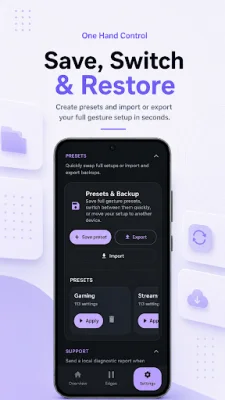
Latest Version
1.2.4
July 08, 2026
Nir Paniri
Tools
Android
0
Free
com.onehandcontrol.app
Report a Problem
More About One Hand Control
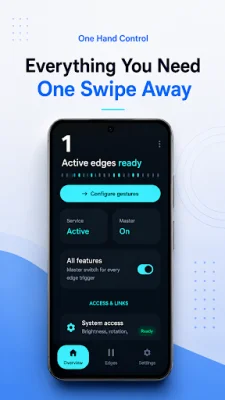
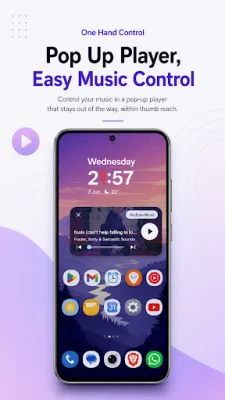
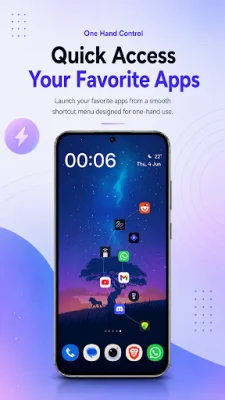
One Hand Control is an application designed to improve the speed and comfort of using your phone. It offers a variety of features such as custom edge gestures, quick access shortcuts, pie controls, a touchpad cursor, popup media controls, app launching, and macros. These features allow you to navigate your Android phone using gesture zones on the left, right, and bottom edges of your screen.
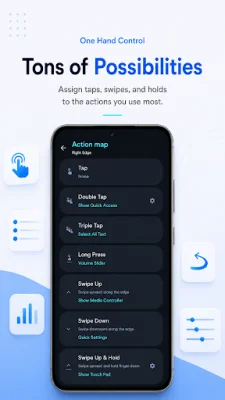
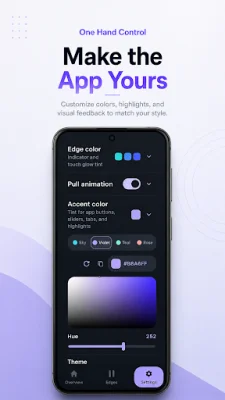
The app allows you to create edge gestures that fit your personal usage habits. You can customize the left, right, and bottom edge zones and assign actions to different gestures such as taps, double taps, long presses, swipes, and more. You can also adjust the size, position, sensitivity, timing, haptics, colors, and visual indicators of these zones and save presets for different layouts and workflows.
With One Hand Control, you can use gestures for various actions such as going back, accessing notifications and quick settings, controlling volume and brightness, taking screenshots, and launching apps. These gestures can also be used for common system actions, making it easier to navigate your phone with just one hand.
The app also offers optional Pro features, including split side zones, advanced pull sectors, pull animation customization, and more. These features can be unlocked with a one-time purchase. Additionally, One Hand Control uses the Android Accessibility Service to detect and perform the selected actions, ensuring accessibility for all users.
Privacy is also a priority for One Hand Control, as the app does not include ads, user accounts, analytics, or tracking. Your gesture settings and configurations remain on your device, and the app does not automatically send any information to the developer. In case of any issues, the app allows you to create a local diagnostic report and choose whether to share it with the developer.
If you need any help with setting up the app or have any feedback or feature requests, you can join the One Hand Control community on Reddit. Overall, One Hand Control is a useful tool for improving the efficiency and ease of using your Android phone with just one hand.
Rate the App















Popular Apps









