

Ultimate File Manager Pro
1.6.7-GOOGLE by KiloWatch (0 Reviews) July 13, 2026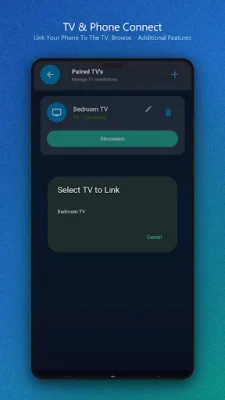
Latest Version
1.6.7-GOOGLE
July 13, 2026
KiloWatch
Tools
Android
0
Free
za.kilowatch.ultimatefilemanager
Report a Problem
More About Ultimate File Manager Pro
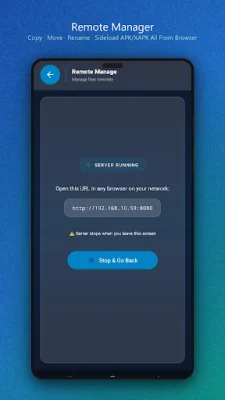
Ditch the hassle of using USB cables and complicated ADB commands with Ultimate File Manager Pro. This app transforms your device into a secure local web server, allowing you to easily manage your files, upload directories, and sideload apps directly from any desktop web browser on your network. Say goodbye to the frustration of transferring files between your device and computer, and hello to a seamless and efficient file management experience.
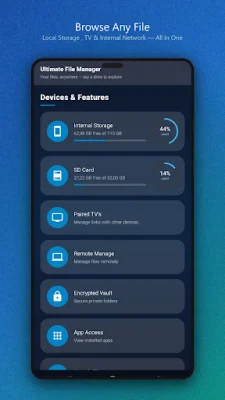
One of the standout features of Ultimate File Manager Pro is its dual-pane mobile and TV layouts. This allows you to perform side-by-side operations such as copying, moving, and comparing files between different directories or storage drives. The app also offers dedicated editions for TV navigation and mobile touchscreens, ensuring that the layout is optimized for each device.
With Ultimate File Manager Pro, you can access your files wirelessly without the need for USB cables or ADB commands. The app turns your device into a secure web server, allowing you to browse, download, and organize files from a PC or Mac browser. You can even sideload APK files by simply dragging and dropping them in your browser, eliminating the need for USB or ADB connections. The app also boasts strong security measures, including a 4-digit PIN, local TLS/HTTPS encryption, and brute-force IP rate limiting.
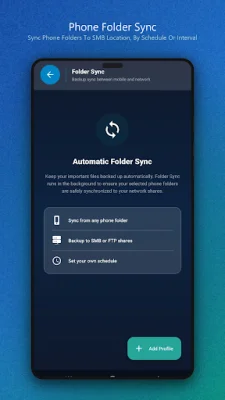
The app's advanced sync engine is another powerful feature, offering various sync modes and triggers to automate background folder transfers. You can also set schedules or use instant FileObserver triggers for more control. Ultimate File Manager Pro also has advanced filters and conflict/deletion rules to help you manage your files efficiently. Additionally, the app is battery and network smart, restricting syncs to unmetered Wi-Fi and suspending operations if the battery drops below 15%.
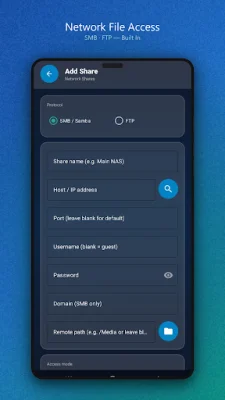
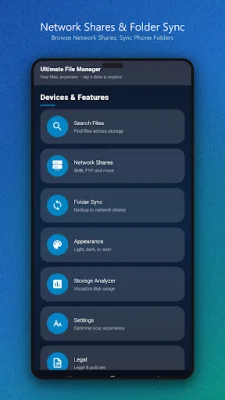
Ultimate File Manager Pro supports over 100 cloud and network protocols, making it easy to connect to various cloud storage providers and access local network shares. The app also has built-in streaming capabilities, allowing you to stream video and audio files directly from network shares and cloud drives using the UFMPlayer with seeking support.
For power users, Ultimate File Manager Pro offers customizable UI options, rootless system access, and file tools for creating and extracting encrypted archives, viewing text files, and setting up automated backups. The app also prioritizes direct and secure connections, ensuring that all network traffic goes directly to your server or cloud endpoint without passing through intermediate servers.
Experience a clean, modern, and professional file management utility for all your Android devices with Ultimate File Manager Pro. Say goodbye to USB cables and ADB commands and hello to a seamless and secure file management experience. Get Ultimate File Manager Pro today and take control of your files like never before.
Rate the App















Popular Apps









