
바이오인증 공동앱
2.25 by 금융결제원(KFTC) (0 Reviews) August 01, 2024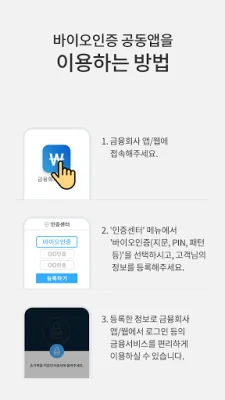
Latest Version
2.25
August 01, 2024
금융결제원(KFTC)
Finance
Android
0
Free
org.kftc.fido.lnk.lnk_app
Report a Problem
More About 바이오인증 공동앱
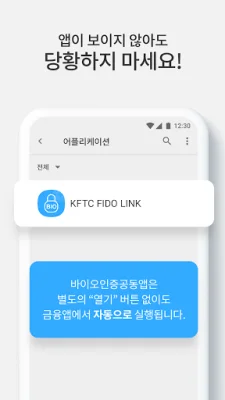
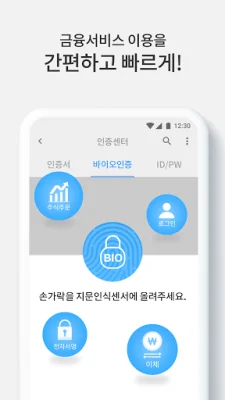
This is a joint app created by financial companies to strengthen the security of biometric authentication and enable compatibility between different financial companies. By using this app, financial companies can prevent unauthorized use by individuals other than the customer, thus enhancing transaction safety. Additionally, customers only need to register their biometric authentication once with their financial company, and then they can use the joint app to access biometric authentication for all participating financial companies without the inconvenience of duplicate registrations, improving customer convenience. Once a customer completes biometric authentication registration through their financial company's app, the joint app does not require any additional information and will automatically run without the need for the customer to open it separately.
■ App Access Permission Notice The joint app for biometric authentication follows Article 22-2 (Consent for Access Permission) of the Act on Promotion of Information and Communications Network Utilization and Information Protection, and the Enforcement Decree, and provides the necessary access permissions for biometric authentication services as follows: [Optional Access Permission Notice] - Phone: Required for identifying the status and device information of the mobile phone. - Camera: Required for palm print authentication. - Storage Space: Required for storing encrypted (palm print) information. ※ Even if you do not agree to the optional access permissions, you can still use all services except for those that require the specific function. ※ You can change the access permissions in the "Settings > Applications > Joint App for Biometric Authentication > Permissions" menu. ※ If your Android operating system version is below 6.0, you cannot control the app's access permissions individually. You will need to upgrade your operating system to control access permissions.
Rate the App















Popular Apps









