

우체국뱅킹
SDA7.3.0 by 우체국금융 (0 Reviews) August 01, 2024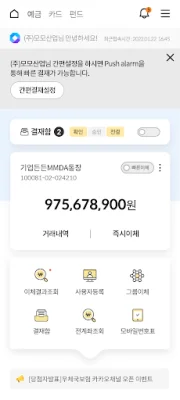
Latest Version
SDA7.3.0
August 01, 2024
우체국금융
Finance
Android
0
Free
com.epost.psf.sdsi
Report a Problem
More About 우체국뱅킹
If you are having trouble seeing the update button or installing the application, please follow these steps: go to device settings > applications > Google Play Store > delete data and clear cache in storage, and then try again. We would like to thank our customers for always using Korea Post Financial Services. Through Korea Post Banking (Itda Banking), you can access fast and convenient financial services from anywhere at any time. All transaction information is encrypted to ensure its safety and cannot be tampered with.
■ Important Notes - Smart Banking services cannot be used on devices that have been modified (rooted). - Data charges may apply depending on your mobile carrier's plan. - Korea Post will never ask for your entire security card number. - Do not take pictures of your security card or enter it into any apps. Keep it safe. In order to provide customer-centered and convenient financial services, we have revamped Korea Post Banking.
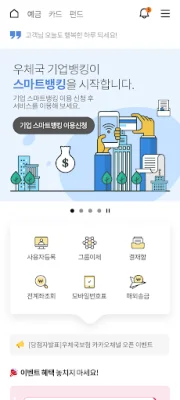
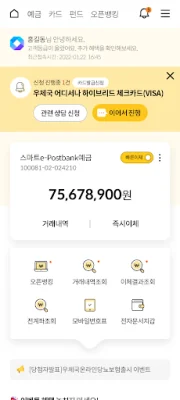
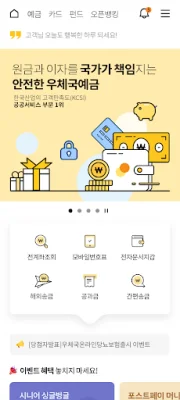
■ Design Renewal - Customer-centered UI and menu restructuring - Improved accessibility to services
■ Enhanced Customer Convenience Services - Introduction of Korea Post Smart Corporate Banking - Account/card opening through Mobile Registration Center - one-stop service for Korea Post Banking - Added favorite menu function for frequently used services - Introduced new fund purchase feature for Korea Post Banking - Personalized fund product recommendations through Robo Advisor - Korea Post Banking (Personal) available in 7 languages - Compare and design Korea Post's financial products (deposits/insurance/funds/cards) through the Financial Product Mall - My Page (My Home) provides a quick view of my financial information - Added account nickname and main account selection function - Added features such as large font transfer and security image selection
■ Enhanced Accessibility and Security - Easy biometric authentication (fingerprint) applied - Support for easy login with PIN number - Automatic input of SMS authentication number We will continue to strive for the safety of our customers' financial transactions and provide the best services.
■ Guide to Permissions and Purposes for Using Korea Post Smart Banking App - Storage (required): Checking for OS modification (rooting) and storing certificates - Phone (required): Checking phone number and device information - Location (optional): Finding Korea Post/ATM locations (request for in-person consultation?) - Camera (optional): Scanning utility bill QR codes (need to verify ID?) - SMS (optional): Automatic input for additional SMS authentication - Contacts (optional): Searching for phone numbers for transfers and sending SMS after transfer (SDA 3.0.6 or higher) * Access permissions are divided into required and optional permissions. If you do not allow optional access permissions, some related functions may be restricted, but you will not be able to use Korea Post Banking without allowing required access permissions. * On Android 6.0 or lower, all permissions may be applied as required. In this case, you must upgrade your OS to 6.0 or higher, delete and reinstall the Smart Banking app in order to set optional access permissions.
Rate the App














Popular Apps









