

유진투자증권 (계좌개설 포함)
1.82.04 by 유진투자증권 (0 Reviews) August 09, 2024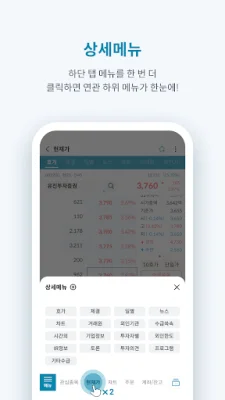
Latest Version
1.82.04
August 09, 2024
유진투자증권
Finance
Android
0
Free
com.eugenefn.smartchampion2
Report a Problem
More About 유진투자증권 (계좌개설 포함)
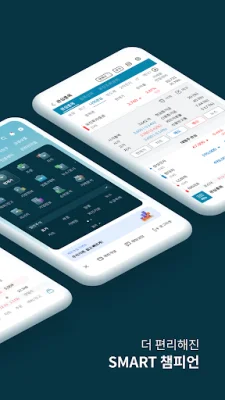
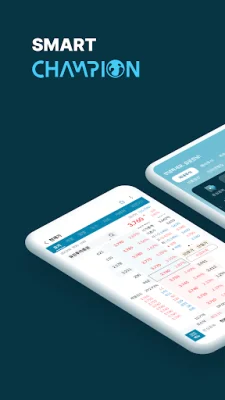
The 'Smart Champion' has been renewed to provide the best financial services. The renewal includes improvements to the MTS UI, the addition of new screens and features, and the enhancement of key functions. The goal of the renewal is to increase customer convenience and provide an optimal trading environment.
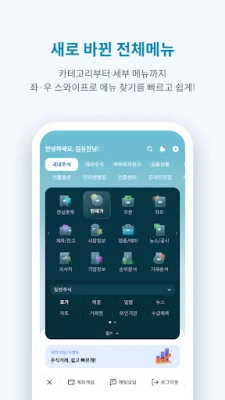
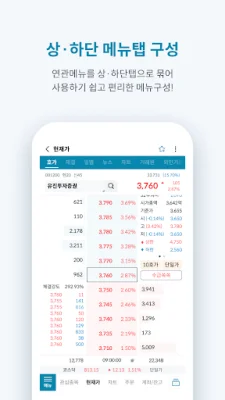
The MTS UI has been improved to enhance customer usability. This includes a revamp of the overall menu and screen UI, as well as the segmentation of menus by product and business and the organization of related menus into tabs.
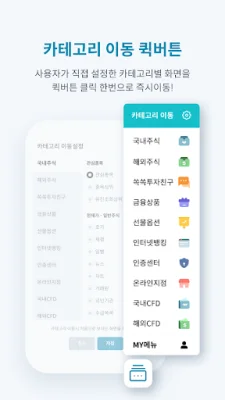
New screens and features have been added, such as the 'Chart Order' screen which integrates chart analysis and domestic stock orders, the 'Favorite Stocks' screen which displays stock names, information, current prices, and trading volume on a single screen, and the 'Quick Button' feature which allows for immediate access to personalized screens by category. The 'Detailed Menu' feature has also been added, allowing for integrated viewing and editing of sub-menus at the bottom of the screen. Additionally, a 'Mini Index Popup' has been introduced, allowing for the checking of domestic and foreign indices, balances, and notification history by touching the index ticker.
The 'Smart Champion' offers a wide range of services from account opening to trading in domestic and foreign stocks, futures and options, financial products, CFD trading, and investment information and recommendations. It also provides easy and convenient access to banking services such as transfers, automatic transfers, and currency exchange, as well as applications for subscriptions, credit/loans, and other business services.
For any inquiries or suggestions while using the 'Smart Champion' app, customers can use the 'Customer Feedback' feature on the Eugene Investment & Securities website (www.eugenefn.com) or contact the Customer Satisfaction Center at 1588-6300.
Eugene Investment & Securities would like to express gratitude to all customers for their continued support and promises to continuously strive for better services through ongoing upgrades. Thank you.
* Information on access permissions and purposes for using the 'Smart Champion' app
[Required Access Permissions] - Phone: To check device information and status and connect to the customer support center - Photos and Videos: To read and save necessary files for app operation - Music and Audio: To read and save necessary files for app operation - Installed Apps: To collect information on installed apps on the device that may pose a threat to electronic financial transactions
[Optional Access Permissions] - Camera: To take photos of identification for non-face-to-face account opening - Contacts: To connect to the customer center via phone - Draw over other apps: For the visible ARS service - Notifications: For push notifications related to stocks, indices, and transactions (Android OS 13 or higher)
* Even if you do not agree to allow optional access permissions, you can still use the services excluding the functions that require those permissions.
* You can also manage the permissions by going to 'Smartphone Settings > Apps > Eugene Investment & Securities > Permissions'.
* For devices with Android 6.0 or lower, you cannot manage optional access permissions. Please upgrade to Android OS 6.0 or higher, and delete and reinstall the app.
Rate the App













Popular Apps









