

삼성카드
5.3.203 by Samsung Card (0 Reviews) July 28, 2024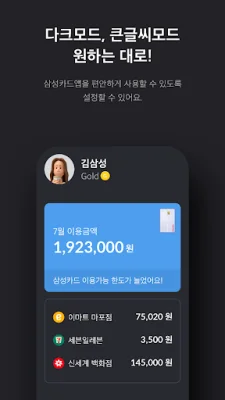
Latest Version
5.3.203
July 28, 2024
Samsung Card
Finance
Android
0
Free
kr.co.samsungcard.mpocket
Report a Problem
More About 삼성카드
Experience a fun-filled card life with the Samsung Card app.
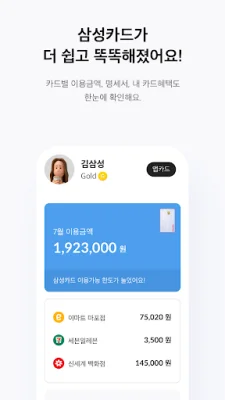
With the 'MY' feature, you can easily see everything you need for card usage at a glance. This includes your card usage history and benefits, as well as services that can be connected to your card.
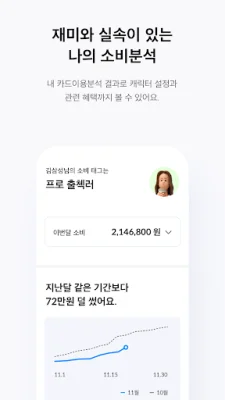
The 'Smart Consumption Analysis' feature is your best friend for wise spending habits. It allows you to analyze your usage history by merchant or date, and even collect fun 'character consumption tags' based on your spending patterns.
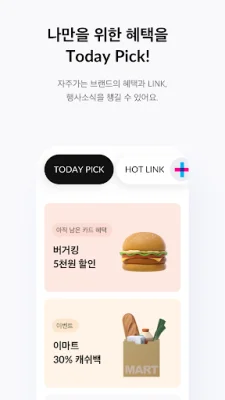
Get personalized recommendations for benefits with 'Today PICK', which uses AI technology to consider your individual spending habits. It also provides focused guidance on benefits from brands you frequently use, and recommends nearby merchants with Samsung Card LINK.
Manage your finances seamlessly and easily with the 'Finance' feature. This includes services for integrated asset management and open banking, as well as the ability to apply for financial services quickly and easily.
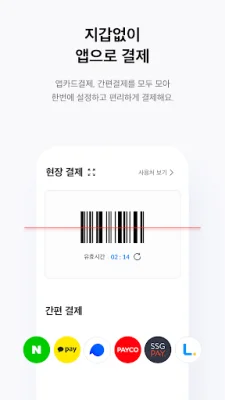
Say goodbye to physical cards and pay with just the app using 'App Card Payment'. This mobile payment service is faster and easier, and allows you to manage various convenient payment methods all in one place.
Please note that the app card can only be registered with a Samsung Card (personal credit/corporate individual/check card) in your name. It can also only be used on one mobile phone with a USIM installed, and cannot be used on phones that have been modified.
To maintain device security, it is recommended to update your operating system and antivirus program to the latest version. It is also advised to avoid using unsecured wireless networks (Wi-Fi) and instead use mobile networks (3G, LTE, 5G).
Downloading the app or using the service on a mobile network (3G, LTE, 5G) may incur data charges. For more information, please visit the Samsung Card website (www.samsungcard.com) or call the customer service line (1588-8700).
To make your app experience more convenient, please allow the following permissions:
- (Required) Phone: for authentication and connecting to customer service
- (Required) Storage: for saving app content and images
- (Optional) Location: for displaying merchant locations and providing weather information
- (Optional) Camera: for scanning QR codes for payment, using Smart Fax, and taking photos of identification
- (Optional) Microphone: for using Smart Order and making phone calls
※ You can still use the app without agreeing to optional permissions.
※ Starting from Android 6.0, required and optional permissions are separated for easier consent. It is recommended to update to Android 6.0 or higher. After updating, you will need to uninstall and reinstall the app to reset permissions.
※ You can change permissions by going to Settings > Applications > Samsung Card > Permissions on your mobile phone. However, the path may vary depending on your device.
[Call-related Screen Service Information]
This app displays information provided by the other party during calls, including Samsung Card. To do so, it provides your phone number and app notification information to the service provider 'BridgeTech (Callgate Co., Ltd.)'.
- Provided function: Call-related screen service (digital ARS, etc.)
- Retention and usage period: Until the provider's consent is withdrawn
- Refusal and withdrawal of consent
· Samsung Card customer service line 1588-8700
· Samsung Card app email consultation
※ Depending on your subscribed plan, data charges may apply when using the screen service.
Rate the App















Popular Apps









