
20 WPM CW Morse code trainer
4.0.33 by KG9E (0 Reviews) September 07, 2024
Latest Version
4.0.33
September 07, 2024
KG9E
Education
Android
0
$2.99
appinventor.ai_izzybella419.MorseCodeTrainer20WPM
Report a Problem
More About 20 WPM CW Morse code trainer
This app is a Morse code trainer for Android devices that focuses on listening to Morse code rather than visually learning dots and dashes. It is similar to the Koch method and operates at 20 words per minute. The app is fully functional offline and does not contain any ads, nags, or in-app purchases. It also does not require an internet connection to use.
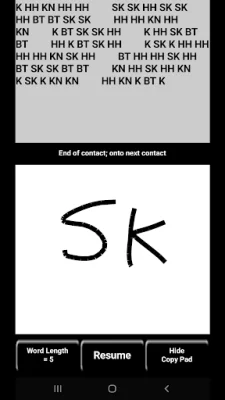
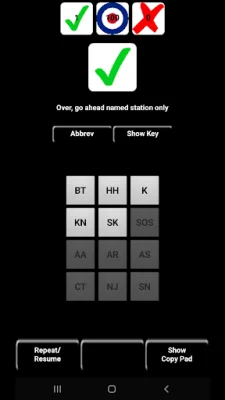
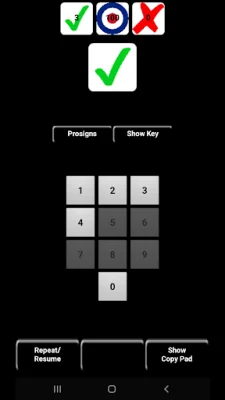
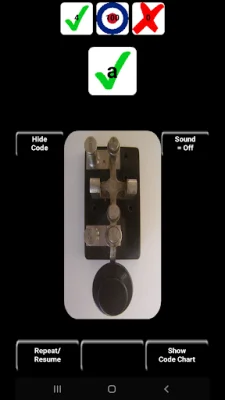
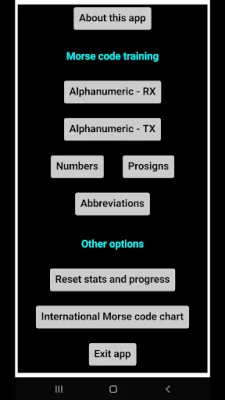
The app offers training in alphanumeric, numbers, CW prosigns, and CW abbreviations. It uses a weighted system to introduce new characters based on proficiency and exposure. There are two interface styles for receiving Morse code: keypad and copy pad. The keypad allows you to tap or type the matching character, while the copy pad allows you to write the characters with your finger or stylus. The app also has a TX interface style for sending Morse code using a simulated straight lever.
For sending fast code, an iambic paddle is recommended. The app allows you to choose between seeing the code you are tapping out or the characters you have learned. You can also toggle the sound of the characters on or off. Additionally, you can replace the straight key image with the International Morse code chart. The app also offers the option to use a real straight key by connecting to your Android device via an easily modified USB mouse or a 3rd-party device.
The app also has several features that respond to certain gestures. For example, tapping the large character button will show or hide the presented character, and tapping and holding any character keypad button will play that character in Morse code at 20 WPM without registering a hit or a miss. You can also tap on the definition text to show or hide the meaning of a CW prosign or abbreviation. The app also allows you to adjust the keypad font size and reset your stats for a particular character set.
If you have any questions, suggestions, concerns, or complaints, you can contact the developer at [email protected]. They encourage original and SEO-oriented messages. Overall, this app is a useful tool for learning Morse code and improving proficiency in listening and sending.
Rate the App














Popular Apps









