

30 WPM CW Morse code trainer
4.0.33 by KG9E (0 Reviews) September 08, 2024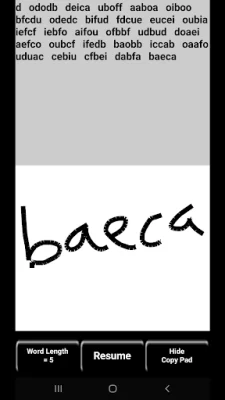

Latest Version
4.0.33
September 08, 2024
KG9E
Education
Android
0
$2.99
appinventor.ai_izzybella419.MorseCodeTrainer30WPM
Report a Problem
More About 30 WPM CW Morse code trainer
This app is a Morse code trainer for Android devices that focuses on listening to Morse code rather than visually learning dots and dashes. It is similar to the Koch method and operates at a speed of 30 words per minute. The app is fully functional offline and does not contain any ads, nags, or in-app purchases. It also does not require an internet connection to use.
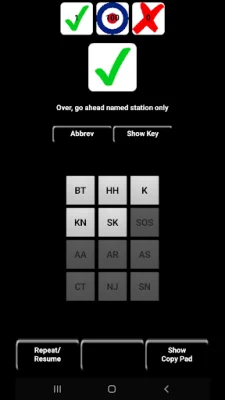
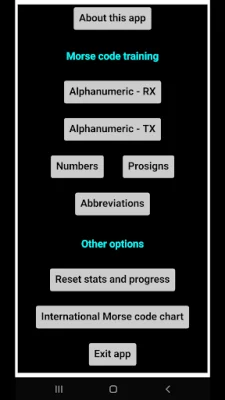
The app offers different training options, including alphanumeric, numbers, CW prosigns, and abbreviations. The alphanumeric training includes all letters, numbers, and common punctuation marks. The numbers training focuses solely on numbers, while the CW prosigns and abbreviations training covers commonly used prosigns and abbreviations in Morse code.
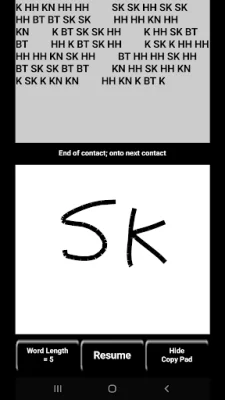
There are two interface styles for receiving Morse code. The first is a keypad where the user must tap or type the matching character. The app introduces new characters as the user becomes more proficient, creating a large pool of characters to practice with. The second interface is a copy pad where the user can receive a string of characters and write them out with their finger or stylus. The app then pauses for self-checking before presenting a new string of characters.
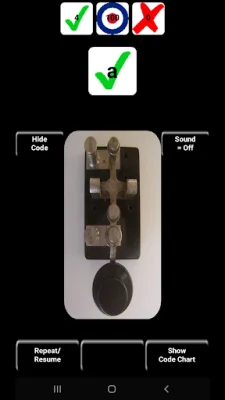
For sending Morse code, the app offers a horizontal lever (straight key) interface. The user must tap out the character on the simulated lever, and new characters are introduced as proficiency increases. The app also allows for the use of a real straight key by connecting it to the device via an easily modified USB mouse or a 3rd-party device.
The app also offers various customization options, such as choosing to see the code being tapped out or the characters that have been learned. The sound of the characters can also be toggled on or off. Additionally, the app allows for the replacement of the straight key image with the International Morse code chart.
Several elements in the app respond to certain gestures, such as tapping and holding the character button to show or hide the presented character. The app also allows for resetting stats for a particular character set and adjusting keypad font size. If users have any questions or concerns, they can contact the developer at [email protected].
Rate the App















Popular Apps









