

3CX
20.1.0 by 3CX (0 Reviews) September 13, 2024
Latest Version
20.1.0
September 13, 2024
3CX
Communication
Android
0
Free
com.tcx.sipphone14
Report a Problem
More About 3CX
The application is designed to allow users to stay connected on-the-go with their 3CX v18 system. To get started, the app must be downloaded and opened. Upon opening, users must agree to the license agreement and follow the on-screen instructions to configure the app with their extension. This requires the use of the 3CX Welcome Email, which contains the necessary credentials and is sent from the Administrator.
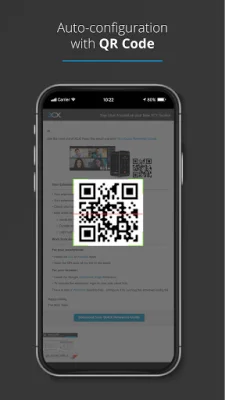
To fully utilize the app, users must also grant camera access to scan the QR code from their 3CX web client, as detailed in the email. Additionally, all necessary permissions must be granted in the following screens. It is important to note that following the battery optimization instructions is crucial for the app to work efficiently.
Once these steps are completed, users can enjoy the convenience of staying connected to their 3CX system while on-the-go. It is important to keep in mind that this app is not a standalone app and can only be used with 3CX v18. For more information and installation instructions, users can visit the provided link.
In summary, the app allows for seamless communication with the 3CX system, even when users are away from their desk. By following a few simple steps, users can easily configure the app and stay connected on-the-go. It is important to note that this app is specifically designed for use with 3CX v18 and is not a standalone app. For more information and installation instructions, users can visit the provided link.
Rate the App














Popular Apps









