

3D Engineering Animation
5.3c by Vaibhav Kokare (0 Reviews) October 27, 2024

Latest Version
5.3c
October 27, 2024
Vaibhav Kokare
Education
Android
0
Free
com.vaibhavkokare.thirddimension
Report a Problem
More About 3D Engineering Animation
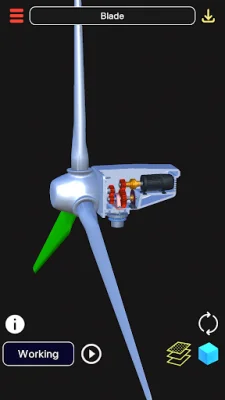
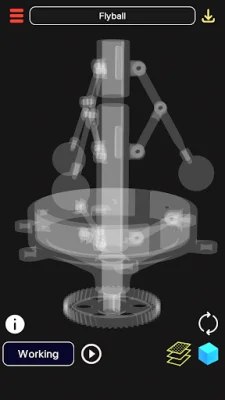
This application is a valuable tool for students who want to learn and visualize various structures in 3D animations. It offers a range of features that make it easy to explore and understand different models. One of the key features is the ability to enable or disable specific parts of a 3D model, allowing users to focus on the parts they want to view. Additionally, the app provides detailed information about each part and mechanism through animation dictation and a search engine.
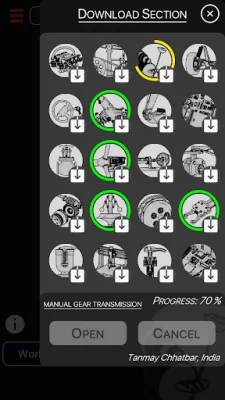
Users can also download 3D models from the online library and access them at any time. The library includes a variety of models, such as a V6 engine for automobiles, an Arduino for electronics, and a wind turbine for energy. The app also offers "animations + dictation" for each 3D model, providing a comprehensive learning experience.
For better control and understanding, users can adjust the rotation, pan, and scale sensitivity of the 3D model. The app also has an "Eagle's Eye Mode" that allows users to see through objects for a skeletal view of the model. Navigation is simple, with the ability to rotate, zoom, and pan the model using touch gestures. Users can also toggle parts on and off, reset the camera, and access the app in six different languages.
It is important to note that an internet connection is required to download models, which range in size from 2-5 MB. However, once downloaded, the models can be viewed in offline mode. The app also uses minimal data for text-to-speech information, making it efficient for users with limited data plans.
In summary, this app is a valuable resource for students looking to learn and visualize 3D models. With its user-friendly features and a growing library of models, it is a must-have for anyone interested in understanding different structures in 3D animations.
Rate the App














Popular Apps









