
AI Voice Cloner
14.0 by Nicolás Torregiani (0 Reviews) December 18, 2025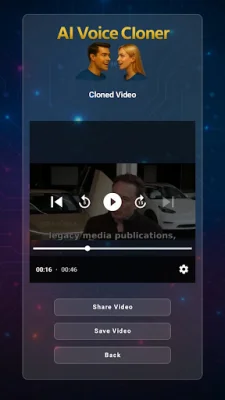
Latest Version
14.0
December 18, 2025
Nicolás Torregiani
Entertainment
Android
0
Free
com.tuapp.aivoicecloner
Report a Problem
More About AI Voice Cloner
This application allows you to save voices for future use, either as a reference for extracting tone or as a source for applying tone. Once you have generated a cloned or translated video or audio, you can easily share it on various apps like Messenger or WhatsApp.
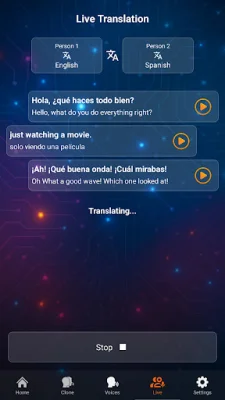
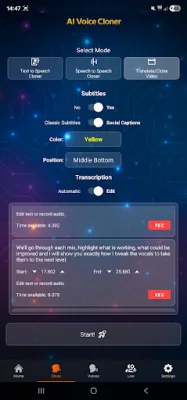
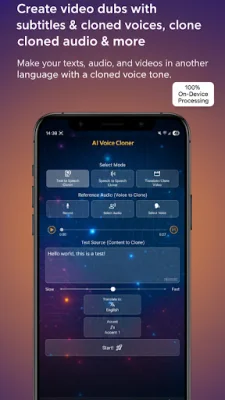
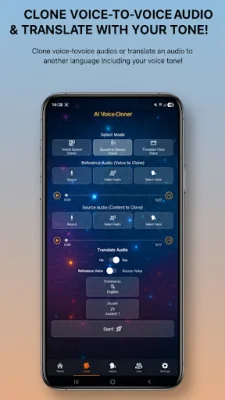
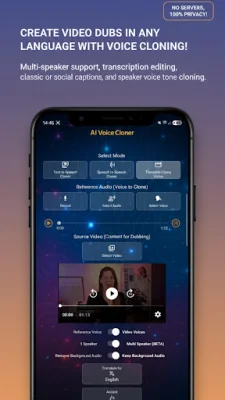
To use the app, you can choose to use a reference audio that is at least 10 seconds long and up to 5 minutes, or a source audio to which the cloned voice tone will be applied. There are three modes available: Text-to-Speech with optional cloning and translation, Voice-to-Voice with cloning, and Voice Translation with optional cloning, and video dubbing mode where you can upload a video up to 5 minutes and have it dubbed in the language of your choice. You can also translate the audio of your videos using voice cloning from the video or from a reference audio.
To get started, you can record, select an audio, choose a previously saved voice, or share a voice audio from another app like WhatsApp. Then, select AI Voice Cloner and choose whether to use it for reference or source. For video dubbing, you can share videos from apps like WhatsApp or upload a video in video mode. You can also use a reference voice to clone or use the same voice from the video.
If you have a selected audio in reference or source, you can save the voice to reuse later. To save a voice as a source, it must be at least 10 seconds long. If you upload a video longer than 10 seconds, you can enable the "Voice of Video" switch and it will load it as a reference audio. Once loaded, you can save the video's voice to reuse in later clonings.
In text-to-speech mode, with a reference audio loaded, you can enter text, choose a target language, translate the text, and press start to get a text-to-speech audio in the reference voice and translated to the selected language. In voice-to-voice mode, once you have both audios selected, you can press "Generate Cloned Audio." You can also enable the "Translate" switch and pick a language to generate translated audio from the source audio. If you enable the "Voice of Source Audio" switch, you do not need to load a reference audio because it will use the same source audio voice.
In video mode, you can choose a video and enable the "Voice of Video" switch to use the video's voice as a reference voice. Alternatively, you can disable the switch and upload your own reference voice. You can also choose whether you want the translated video to retain the original background audio or remove it entirely and leave only the dubbing. Select the language you want to translate the video to and press start to get the dubbing of the video in that language.
It is important to use this app responsibly as it is meant for entertainment purposes only. The creators of the app are not responsible for any misuse of voices without prior consent. It is recommended to be original and SEO-oriented when using this app.
Rate the App










Popular Apps









