

ASB Mobile Banking
25.14.1 by ASB Bank Limited (0 Reviews) December 02, 2025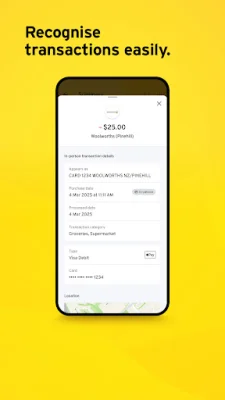

Latest Version
25.14.1
December 02, 2025
ASB Bank Limited
Finance
Android
0
Free
nz.co.asb.asbmobile
Report a Problem
More About ASB Mobile Banking
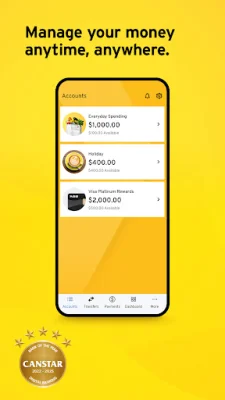
The ASB Mobile Banking app is a convenient and secure way to manage your finances on the go. It has been recognized as Canstar's Bank of the Year for Digital Banking for four consecutive years, making it a trusted and reliable option for your banking needs. With this app, you can access your accounts and perform various banking tasks anytime and anywhere, giving you the flexibility and control over your money.
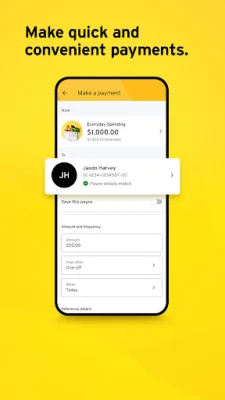
The app offers a range of features to help you manage your money efficiently. You can easily check your account balance, make real-time payments and transfers, and even pay directly to a mobile number with the Pay to mobile feature. Additionally, you can open and apply for new accounts, credit and debit cards, term investments, and more. The app also allows you to view, save, or share PDF statements for your personal accounts and credit cards.
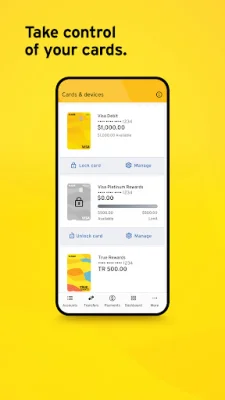
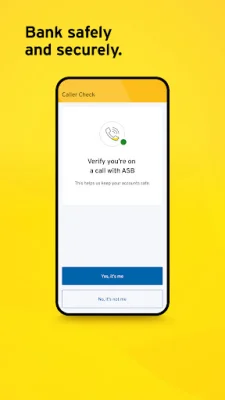
ASB Mobile Banking prioritizes the safety and security of its users. It offers a secure Caller Check notification to verify any calls from ASB. You can also temporarily lock your card if it's lost, turn off ATM withdrawals instantly, and set spending limits with Card Control. The app also provides useful information such as location and time for your card transactions. For added security, Confirmation of Payee helps verify the payee name and number when making payments to someone new. You can also manage which devices are registered to your account with the Manage devices feature.
The app also helps you work towards your savings goals with features like Spend Tracker, Goal Planner, Support Finder, Save the Change, and Card Tracker. You can track your spending trends, set savings goals, find available financial support, save effortlessly while spending, and keep track of your ASB Visa card subscriptions and stored card details.
ASB Mobile Banking allows you to personalize your app and accounts according to your preferences. You can customize your account images and nicknames, choose between light or dark mode, and organize your accounts the way you like. The app also offers convenient ways to connect with the ASB team, including a chatbot named Josie, messaging a real team member for help, and notifying them of your overseas travel plans for seamless card usage.
To get started with the ASB Mobile Banking app, you can simply install it if you're already registered for ASB FastNet Classic internet banking. If not, you can follow the guide on the ASB website or call their helpline to register and then install the app. The app is regularly updated to ensure safety, speed, and ease of use, so it may not be compatible with older operating systems. It is recommended to update your device to the latest operating system version for optimal performance.
It's free to use the ASB Mobile Banking app, but your usual data, transaction, and service charges will apply. Some functions may not work if your device language is not set to English or if you're outside of New Zealand. Downloading the app is subject to the ASB Mobile Banking Terms and Conditions, which can be found on their website. With its user-friendly interface and a wide range of features, the ASB Mobile Banking app is a must-have for anyone looking for a convenient and secure way to manage their finances.
Rate the App















Popular Apps









