

Assistive Touch - Pen & Finger
by Utae (0 Reviews) March 31, 2026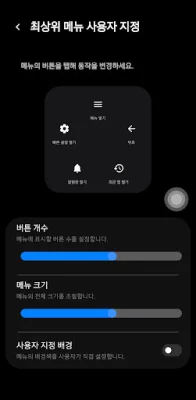
Latest Version
March 31, 2026
Utae
Tools
Android
0
Free
com.utae.assttouch
Report a Problem
More About Assistive Touch - Pen & Finger
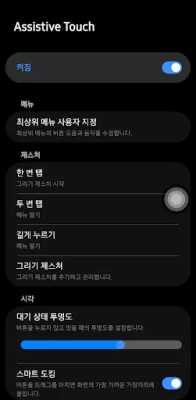
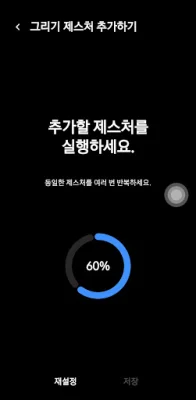
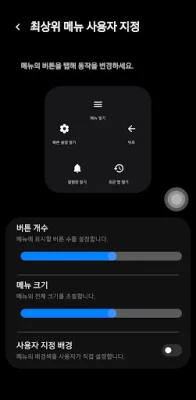
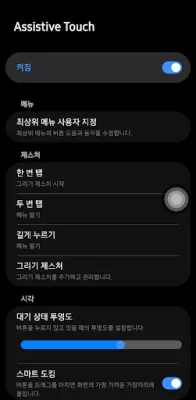
This application allows you to customize your device's gestures to perform specific actions with just a tap, double tap, long press, or drawing gesture. You can assign your desired actions to each gesture, making it easier and quicker to access certain features or apps on your device. This app is perfect for those who want to personalize their device and make it more efficient to use.
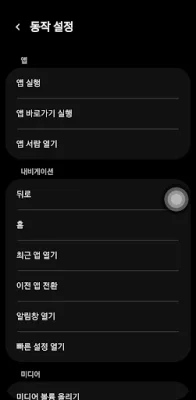
With this app, you can assign a variety of actions to each gesture, such as launching an app or app shortcut, going back to the previous screen, going to the home screen, opening recent apps, switching to the previous app, opening the app drawer, and more. You can also use gestures to adjust settings on your device, such as toggling auto-rotate, adjusting screen brightness, locking the screen, taking a screenshot, adjusting media volume, and controlling media playback.
One of the great things about this app is that it is safe and secure to use. No information of any kind is collected or shared, and no internet connection is required. This means that you can use the app without worrying about your personal information being compromised.
The app uses accessibility services for a limited purpose, which is to run user-configured actions triggered by gestures. This means that the app only accesses the necessary information to perform the actions you have assigned to each gesture. This ensures that your privacy and security are not compromised while using the app.
In summary, this app allows you to customize your device's gestures to perform a wide range of actions, making it more convenient and efficient to use. It is safe and secure, with no personal information being collected or shared, and it only uses accessibility services for a limited purpose. So go ahead and try it out, and see how you can make your device even more personalized and user-friendly!
Rate the App












Popular Apps









