

Auto Clicker: Tap Wizard
by gxing (0 Reviews) April 23, 2026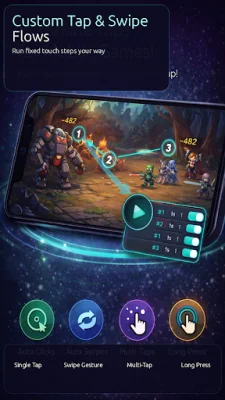
Latest Version
April 23, 2026
gxing
Tools
Android
0
Free
com.opsfs.zidongdj
Report a Problem
More About Auto Clicker: Tap Wizard
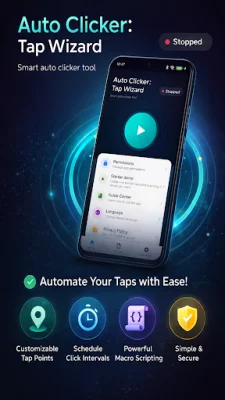
With Auto Clicker: Tap Wizard, you can easily automate tasks on your device without needing root access. This application offers accessibility-based automation and floating controls, allowing you to create tap points, build swipe paths, adjust timing, and run tasks efficiently. This means you can save time and effort by automating repetitive tasks without having to manually tap or swipe on your device.
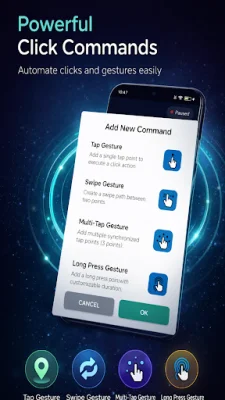
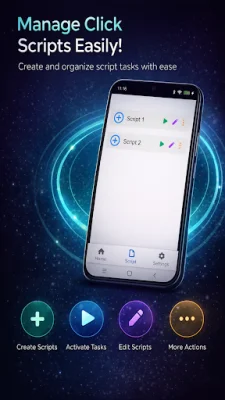
The key features of Auto Clicker: Tap Wizard include auto click and auto tap capabilities, as well as single tap, sequential tap, and synchronized tap modes. You can also use swipe gestures and create custom gesture paths for more complex actions. The floating menu allows you to easily start, pause, and stop your automation, and you can save and manage your scripts for future use. Additionally, you can customize the delay, long press duration, and swipe duration to suit your specific needs. The app also supports multiple languages and does not require root access.
Some common use cases for Auto Clicker: Tap Wizard include automating repeated tapping tasks, creating simple step-by-step automation, testing tap and swipe behaviors, and performing routine actions that require frequent clicks. However, it is important to note that the app should only be used in legal and compliant scenarios and in accordance with the rules of the target app or platform.
In order to function properly, Auto Clicker: Tap Wizard requires certain permissions. These include the Accessibility Service, which is necessary for automated taps and swipes, and the Overlay permission, which allows the floating menu and gesture points to be displayed over other apps. Additionally, background-related permissions may be needed to improve automation stability during long-running tasks.
It is recommended to enable auto-start and battery-related settings on your device to ensure smooth execution of your automation. However, it is important to note that very short tap intervals may cause lag or unstable touch recognition on some devices.
If you are in need of an auto clicker, automatic tapper, auto tap tool, or swipe automation app, Auto Clicker: Tap Wizard is a reliable and user-friendly option. It is designed to simplify the setup process and ensure reliable execution of your automation tasks.
Rate the App















Popular Apps









