
Auto Reply, Automation Tool
by Droid-Developer (0 Reviews) October 28, 2025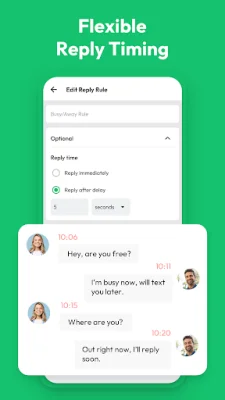

Latest Version
October 28, 2025
Droid-Developer
Tools
Android
0
Free
auto.reply.chat.responder.repeater.automatic.sender.replicator
Report a Problem
More About Auto Reply, Automation Tool
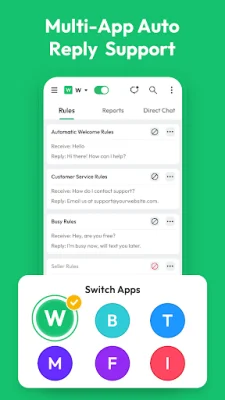
This application is designed to improve communication efficiency by providing automatic reply support for multiple messaging applications. It also offers a direct chat feature for easier and faster communication. One of its main features is the Reports Management, which allows users to monitor and manage auto reply messages across different platforms. This helps ensure accurate statistics and prevents data from slowing down the app's performance.
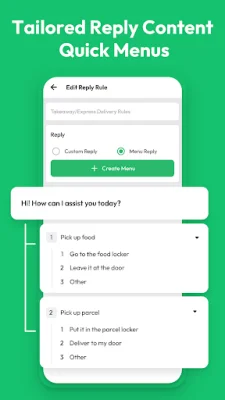
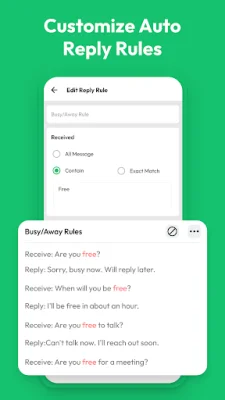
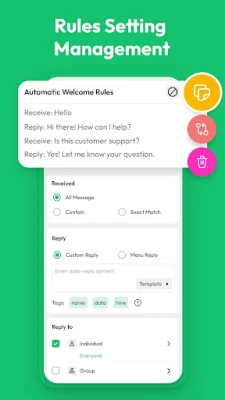
Setting up auto reply rules is made simple with this application. Users can choose the type of messages they want to set up auto reply for, such as all messages, specific keywords, or certain criteria. They can also customize the reply content or create a menu of quick replies. Additionally, users can select who will receive the auto reply, whether it's everyone, specific contacts, or excluding certain contacts. They can also set the response timing and schedule active times for the auto reply to take effect.
Some helpful tips for using this application include turning on Notification Permission to enable the configured rules, being able to stop any auto reply rule at any time, and copying rules to use with different apps. Users can also search for relevant rules by using keywords and test the enforceability of their rules before they take effect.
It's important to note that this application does not collect any personal information or obtain passwords in any way. It is also not affiliated with any third party. This ensures the privacy and security of users' information. Overall, this application aims to streamline communication and improve efficiency for its users.
Rate the App















Popular Apps









