

Auto Tap & Swipe on Screen
11.0 by Balint Infotech (0 Reviews) September 24, 2024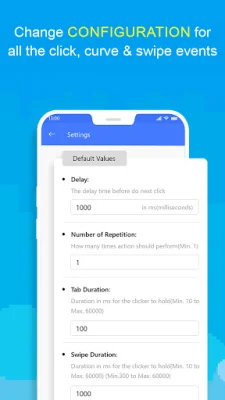




Latest Version
11.0
September 24, 2024
Balint Infotech
Tools
Android
0
Free
comm.swpato.esyspscr
Report a Problem
More About Auto Tap & Swipe on Screen
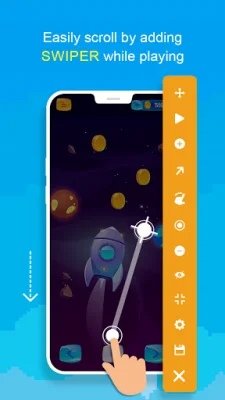
Auto Tap & Swipe on Screen is an Android app that offers a variety of features to enhance the user experience while playing tapping games or using other apps on their mobile device. It includes a single target mode, multiple target mode, swiper mode, curve swipe, and various configurations to customize the tapping and swiping actions. The app also has a controller bar that can be minimized or maximized for easy access. One of the main features of Auto Tap & Swipe on Screen is its ability to perform automatic tapping and swiping actions. This is especially useful for tapping games or repetitive tasks on other apps. The app allows users to set a delay time before each click, specify the number of repetitions, and adjust the tap and swipe duration. It also has a start and stop script function, as well as a loop delay option. The control bar of the app has several functions, including moving the floating menu, running clicks, previewing tapping actions, adding clickers, and setting up curve scrolling. Users can also customize the control bar's size, opacity, and item arrangements. The app also has a pointer settings option for adjusting the view size and opacity. Auto Tap & Swipe on Screen also offers a configuration option to save and access previously saved configurations. This makes it easier for users to switch between different settings for different tasks. The app is free to install and has a quick installation process. It is also lightweight and has a simple and user-friendly interface. To function properly, the app requires overlay and accessibility permissions. The accessibility permission is necessary for the app to perform its core functions, such as clicks and swipes. However, the app does not collect or share any personal or sensitive data using these permissions. Overall, Auto Tap & Swipe on Screen is a useful and easy-to-use app for automating tapping and swiping actions on Android devices.
Rate the App















Popular Apps









