

Auto Transfer:Phone To Sd Card
1.62 by Move More Solutions (0 Reviews) November 18, 2025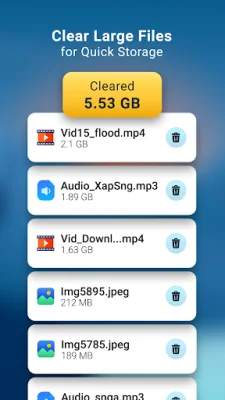
Latest Version
1.62
November 18, 2025
Move More Solutions
Tools
Android
0
Free
com.sparkapps.autotransfer.ks
Report a Problem
More About Auto Transfer:Phone To Sd Card
If you're running out of space on your phone's internal storage, don't worry! This app makes it easy and flexible to transfer your data to an SD card.
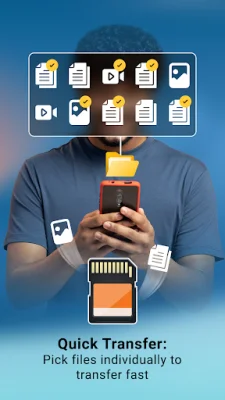
You can transfer all types of files, including audios, videos, images, documents, and APKs, to your SD card with just a few clicks.
With the ability to transfer multiple files at once, you can quickly free up space on your phone.
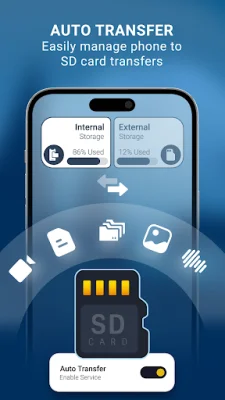
There are two ways to transfer your data from your phone to the SD card. The first is through auto transfer, where you can set a specific path for the source and destination folders. This will automatically transfer data when it's detected on the designated path, saving you time and increasing your internal storage space.
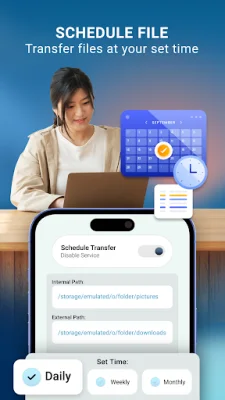
The second option is schedule transfer, where you can set a specific day and time for the transfer to occur. This is great for regularly backing up your data to the SD card.
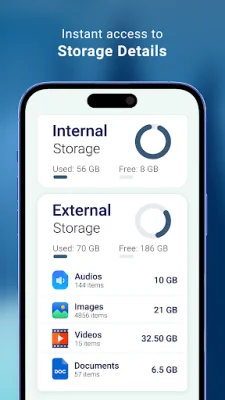
The app also includes a file manager for both internal and external storage, making it easy to manage your storage data. You can easily see how much space is being used and how much is available on both your internal storage and SD card.
If you need to free up more space, the app also provides a list of large files that you can remove to make extra room.
The user interface is user-friendly and easy to navigate, making it simple for anyone to use.
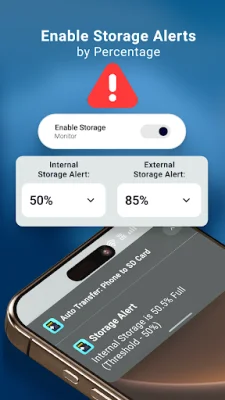
In order for the app to function properly, it requires certain permissions, such as READ_EXTERNAL_STORAGE to access and display data from your storage, WRITE_EXTERNAL_STORAGE to transfer files to the SD card, and MANAGE_EXTERNAL_STORAGE for Android 11 users to access and transfer data. These permissions are necessary for the app to work effectively and efficiently.
Rate the App














Popular Apps









