
Battery Widget % Level Plus
8.1.2 by M2Catalyst, LLC. (0 Reviews) August 17, 2024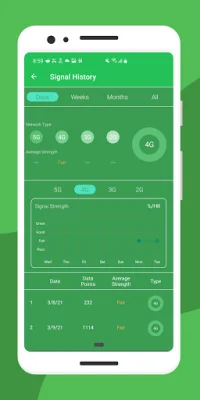
Latest Version
8.1.2
August 17, 2024
M2Catalyst, LLC.
Tools
Android
0
Free
com.geekyouup.android.widgets.battery
Report a Problem
More About Battery Widget % Level Plus
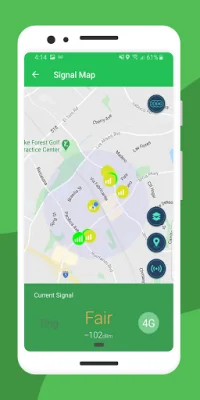
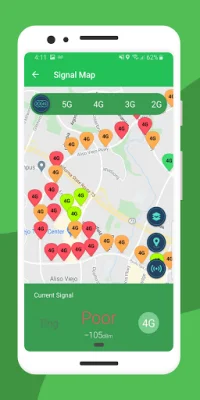
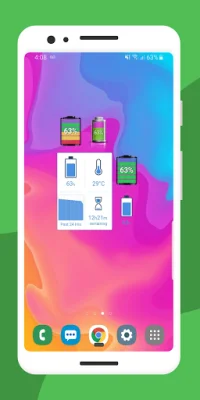
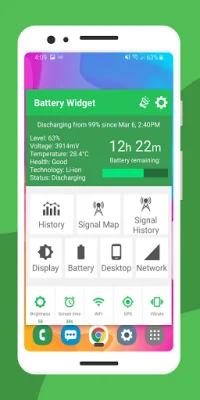
Battery Widget is an application that offers six different styles of live battery percentage widgets for your device. These widgets can be placed in a 1x1, 1x2, 2x1, or 2x2 space on your home screen and provide not only the exact battery level percentage, but also information on battery charging, remaining charge time, charge temperature, battery history, and a Best Signal Finder map. The Best Signal Finder map allows you to view crowdsourced data on signal strength and how it relates to battery drain.
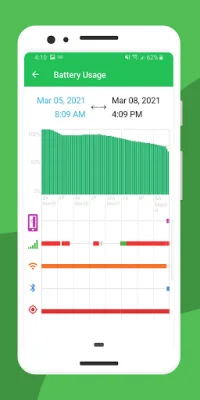
The app also includes several other features to help you manage your battery life. The Best Signal Finder map shows you the strength of your mobile network signal in your current location, allowing you to determine where your battery will last the longest. The battery history graph and widget shortcut help you keep track of excessive battery drain and identify the cause. You can also use the Widget Builder to create a custom widget with battery percentage, temperature, time remaining, or history.
Battery Widget also allows you to set custom battery alarms for different conditions, such as when the battery is fully charged or when it reaches a certain level or temperature. The app also offers various toolbar indicator styles to easily view your battery life from your home screen. You can even customize the color theme and font options of the widget to match your desktop.
To install the widget on your home screen, simply go to the "Menu" or tap and hold on your home screen, then select "Add" and choose "Widgets" and "Battery Widget." The app also includes a live battery life widget for quick checks on your battery condition.
The developers of Battery Widget value user feedback and encourage 5-star reviews to continue improving the app. If you encounter any issues with the latest version, you can reach out to their support team for assistance. By using Battery Widget, you can easily monitor and manage your device's battery life for optimal performance.
Rate the App















Popular Apps









