
BLE Terminal
1.7.2 by edodm85 (0 Reviews) October 29, 2024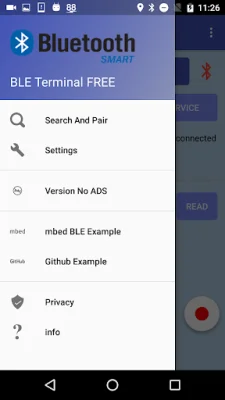
Latest Version
1.7.2
October 29, 2024
edodm85
Communication
Android
0
Free
com.edodm85.bluetoothbleterminal.free
Report a Problem
More About BLE Terminal
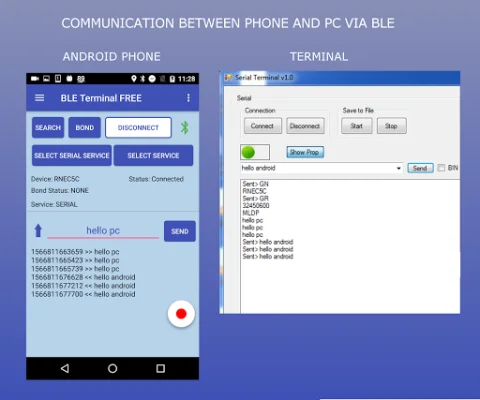
In the latest update (v1.3.0), the application now includes serial communication with Microchip BLE and Ublox BLE devices. This was added due to some connection issues that were observed with Android Lollipop and lower versions. The app allows for data to be transmitted and received between the phone and a paired Bluetooth BLE device.
One of the main features of this app is the ability to save log sessions to a file. This can be useful for keeping track of data and analyzing it later on. It's important to note that this app only works with devices that have Bluetooth Low Energy capabilities, such as SimbleeBLE, Microchip, and Ublox.
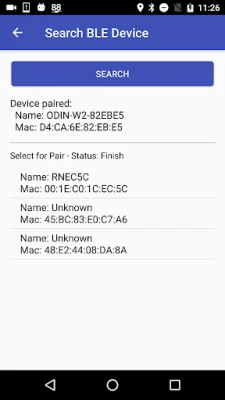
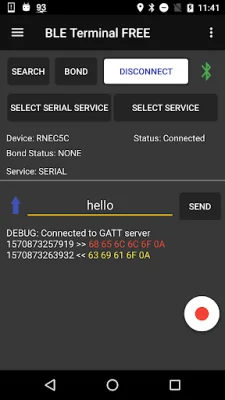
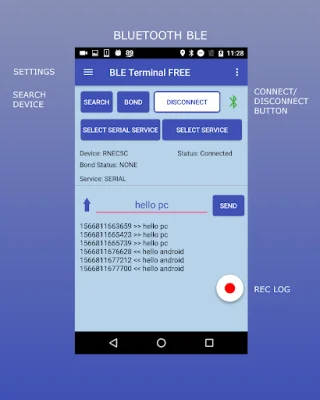
To use the app, the first step is to enable Bluetooth on your device. Then, you can either open the Search menu and pair the device or go to the Settings menu and enter a MAC Address (with the "Enabled MAC REMOTE" checkbox checked). Once the device is paired, you can press the "CONNECT" button on the main window.
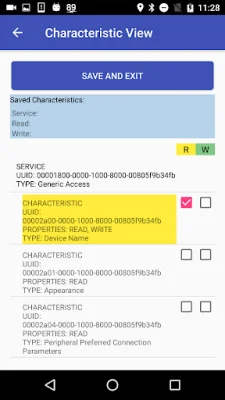
If necessary, you can also add Service/Characteristics by clicking on the "SELECT SERVICE" button. This allows for more customization and control over the data being transmitted and received. Finally, you can send and receive messages using the app.
Before using the app, it will ask for permission to enable two services: Location service and Storage service. The Location service is required for some devices (such as Nexus 5) for the BLE searching function. The Storage service is necessary if you want to save log sessions.
There are also example links provided for SimbleeBLE and RN4020 devices, which can be used to test the app. The app has been tested with various devices, including Simblee, RFDUINO, RedBearLabs, and RN4020. For custom app requests, the developer can be contacted.
As always, the developer welcomes ratings and reviews to help improve the app. It is recommended to be original and SEO-oriented when leaving a review. Overall, this app provides a convenient and efficient way to communicate with BLE devices and save log sessions for later use.
Rate the App















Popular Apps









