

Bluetooth - Auto Connect
59.0 by Clean app developer (0 Reviews) September 26, 2024
Latest Version
59.0
September 26, 2024
Clean app developer
Tools
Android
0
Free
com.bluetooth.device.autoconnect.colorful
Report a Problem
More About Bluetooth - Auto Connect
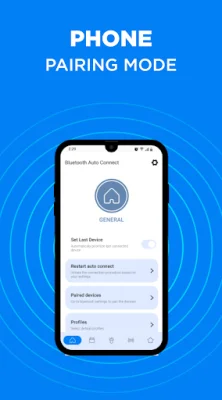
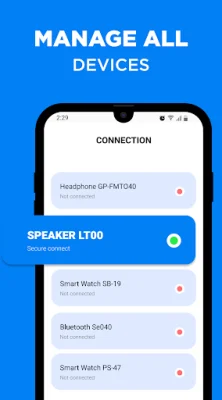
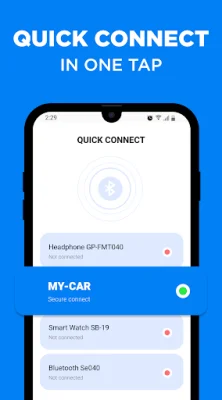
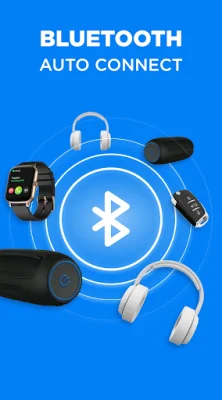
The Connect program is a useful tool for managing all of your Bluetooth devices. It offers several valuable features that make connecting and reconnecting to your devices easier and more efficient. One of the most helpful features is the "Auto-Connect" tool, which allows you to choose specific devices to connect to automatically. This is especially useful for those who use multiple devices daily and want to avoid the hassle of manually connecting each time. Another great feature is the "Reconnect" function, which eliminates the need to constantly turn Bluetooth on and off. If your device loses connection, you can quickly find and reconnect to it without any difficulty. This is particularly beneficial for those who experience frequent connection drops throughout the day. The app also allows you to create a priority list of your paired devices, so you can choose which ones are more important to connect to when they are all available. This is perfect for individuals who use multiple Bluetooth devices and want a seamless connection experience. For example, if you prioritize your headphones, you can listen to your music uninterrupted, even if your speakers are on at the same time. To start using the Connect program, simply turn on Bluetooth on your phone and other devices, then download and install the Bluetooth Finder app. Once Bluetooth is on, your phone will automatically sync to the latest device by selecting the "Set Last Device" option. The app also offers other useful features such as multiple profile support, charger and call control, and a user-friendly design. Additionally, the PRO version offers even more features like no ads, connection stability, and beautiful themes. Overall, the Connect program is a great tool for managing all of your Bluetooth devices and ensuring a strong and stable connection.
Rate the App















Popular Apps









