
BNZ Mobile
9.6.1 by Bank of New Zealand (0 Reviews) September 17, 2024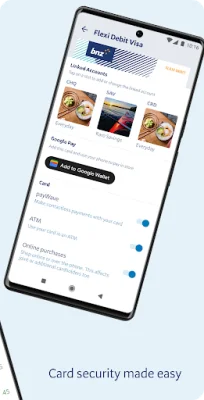
Latest Version
9.6.1
September 17, 2024
Bank of New Zealand
Finance
Android
0
Free
nz.co.bnz.droidbanking
Report a Problem
More About BNZ Mobile
This application allows you to easily manage your finances on the go. With this app, you can check your account balances, transfer money, top up your prepay mobile, and more. It's like having a personal bank branch in your pocket.
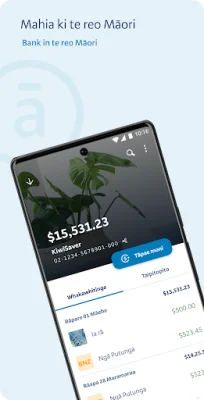
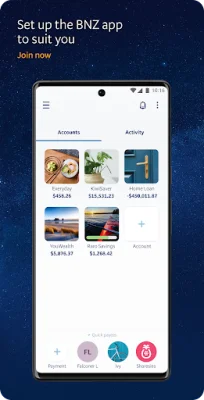
The first feature, "Know Your Money," allows you to view your account balances and transaction history, set financial goals, and personalize your accounts with images. You can also activate MobileNetguard to view your account balances without logging in. This feature gives you a comprehensive overview of your finances and helps you stay on track with your goals.
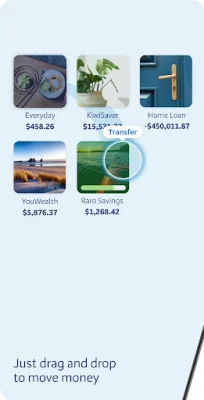
The "Manage Your Money" feature allows you to easily transfer money between your accounts, pay bills, and make one-off payments. You can also open and close accounts instantly with YouMoney and link your accounts to your Eftpos or credit card. This feature makes it convenient to handle all your financial transactions in one place.
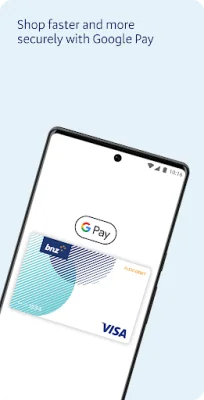
The app also offers extra services such as topping up your prepaid mobile for Vodafone, Spark, Skinny, and 2degrees. You can also use Google Pay™ to make payments with your phone. This feature adds convenience to your daily life and makes it easier to stay connected.
The "Find & Contact BNZ" feature allows you to send secure messages, find the nearest BNZ stores and ATMs, and view relevant phone numbers. You can also request a callback for any inquiries or assistance you may need.
The app also allows you to send requests for debit or credit cards, loans, and insurances. You can also join the BNZ KiwiSaver Scheme through the app. This feature makes it easy to access and apply for various banking services.
The app ensures secure banking by allowing you to set up a personal 5-digit PIN or log in with your Internet Banking password. It also offers fingerprint and biometric login on supported devices. It's important to always log out and update your device to the newest version of Android for added security. The app also reminds you to never store your BNZ access number, password, or NetGuard coordinates on your device and to never allow others to access your device using your password.
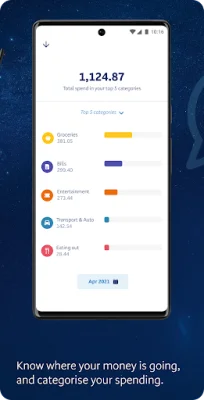
Before using the app, make sure your device has Android 8.0 or above and mobile data is enabled. The use of the app is subject to the Internet Banking Terms and Conditions. The app also offers a spend tracker feature for personal BNZ credit card or transaction accounts, but non-personal accounts like family trust or business accounts won't be included. If you're already a BNZ Personal Internet Banking customer, you can easily install the app and start using it. If not, you can register for Internet Banking through the app or by contacting BNZ.
Rate the App














Popular Apps









