

BNZ Mobile Business Banking
6.32.0 by Bank of New Zealand (0 Reviews) September 02, 2024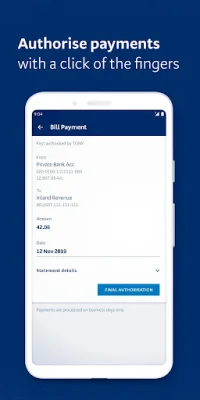
Latest Version
6.32.0
September 02, 2024
Bank of New Zealand
Finance
Android
0
Free
nz.co.bnz.droidbusinessbanking
Report a Problem
More About BNZ Mobile Business Banking
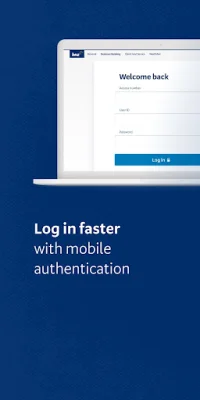
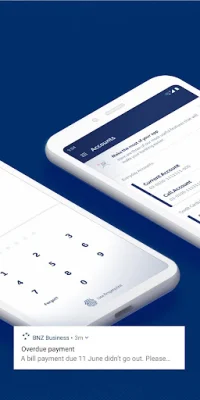
The BNZ Mobile Business Banking app is a convenient and secure way for business owners to manage their finances on the go. With this app, users can log in using their fingerprint, PIN, or password after the initial set up. Once logged in, they can check balances, make transfers, and pay existing bill payees. The app also allows for authorizing same-day cleared payments, international payments, and transfers, as well as direct credit, direct debit, payroll, and tax payments. Users can even create and authorize one-off payments to any domestic bank account, including credit cards.
One of the key features of the BNZ Mobile Business Banking app is the ability to edit payment dates on most payment types. This allows for more flexibility and control over when payments are made. Users can also make changes to payees and view foreign exchange rates within the app. Additionally, the app allows for searching transactions within accounts and checking their details. Users can also authorize domestic payments and transfers in advance of incoming funds.
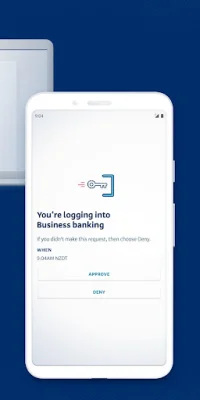
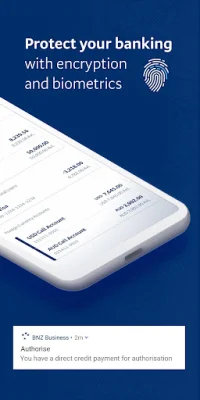
To get started with the BNZ Mobile Business Banking app, existing BNZ Internet Banking for Business customers can simply install the app and start managing their finances on the go. For those who are not yet customers, they can easily register by visiting bnz.co.nz. The app also offers advanced security features, such as Mobile NetGuard, which requires users to enter codes sent to their mobile and email for added protection. Other security measures include 128-bit encryption and lock-out and time-out safeguards.
It is important to note that the BNZ Mobile Business Banking app requires Android 8.0 or above and mobile data to access. In case of a lost phone, users can contact their Internet Banking for Business Administrator to disable access or log in with another device. It is also recommended to never store BNZ access numbers, PINs, passwords, or NetGuard details on the device. The app does not store any access IDs, passwords, or personal information for added security.
In summary, the BNZ Mobile Business Banking app offers a convenient and secure way for business owners to manage their finances on the go. With features such as fingerprint, PIN, or password login, the ability to make various types of payments and transfers, and advanced security measures, this app is a valuable tool for any business. Whether you are an existing BNZ customer or looking to register, the app is easy to use and provides access to important financial information at your fingertips.
Rate the App















Popular Apps









