
Brother iPrint&Scan
6.13.1 by Brother Industries, Ltd. (0 Reviews) August 20, 2024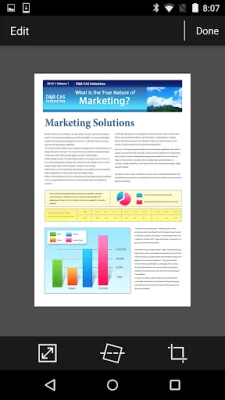
Latest Version
6.13.1
August 20, 2024
Brother Industries, Ltd.
Tools
Android
0
Free
com.brother.mfc.brprint
Report a Problem
More About Brother iPrint&Scan
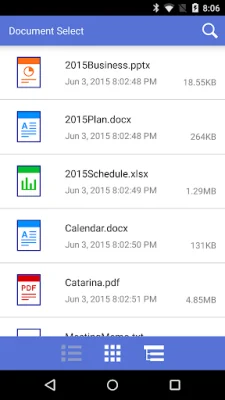
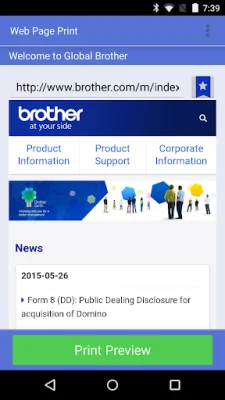
This application is designed to make printing and scanning from your mobile device as easy and convenient as possible. It offers a variety of features that allow you to print and scan a range of documents and photos directly from your phone or tablet. The menu is user-friendly and the steps to print or scan are simple and straightforward. You can print photos, web pages, emails (Gmail only), and documents (PDF, Word, Excel®, PowerPoint®, Text) with just a few taps.
In addition to printing and scanning, this app also allows you to access and print from popular cloud services such as DropboxTM, OneDrive, and Evernote®. You can also scan documents directly to your Android device and save them as PDF or JPEG files. The app automatically searches for compatible devices on your local wireless network, eliminating the need for a computer or driver.
One of the unique features of this app is its NFC function, which allows you to print or scan by simply holding your mobile device over an NFC mark on your machine and tapping the screen. However, please note that both your mobile device and machine must support NFC for this feature to work. A list of supported mobile devices can be found on the support website.
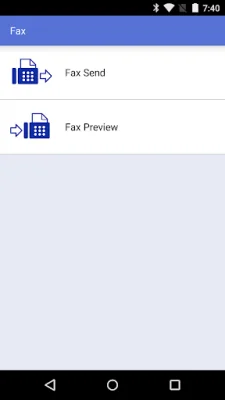
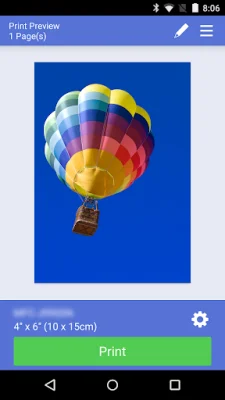
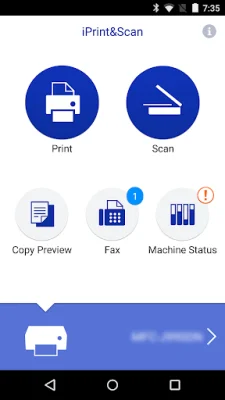
For newer models, there are advanced functions available such as the ability to edit previewed images using tools like scale, straighten, and crop. You can also send faxes directly from your mobile device, view received faxes stored on your machine, and use the copy preview function to avoid errors. Additionally, you can check the status of your machine, including ink/toner volume and error messages, on your mobile device.
The app is compatible with a variety of print and scan settings, including different paper sizes (such as A4, Letter, Legal, A3, and Ledger) and media types (such as glossy paper and plain paper). You can also make up to 100 copies at a time. The scan settings include options for document size (A4, Letter, 4" x 6", Photo L, Card, Legal, A3, and Ledger) and scan type (color, color fast, and black & white).
Overall, this app offers a convenient and efficient way to print and scan from your mobile device. It is important to note that some features may not be available on all devices, so it is best to check the compatibility before use. The app also includes trademarks and licensing information for Evernote, Microsoft, Excel, and PowerPoint. For feedback or inquiries, please use the designated email address provided.
Rate the App















Popular Apps









