Business24
1.91.7 by Slovenská sporiteľňa, a.s. (0 Reviews) April 03, 2026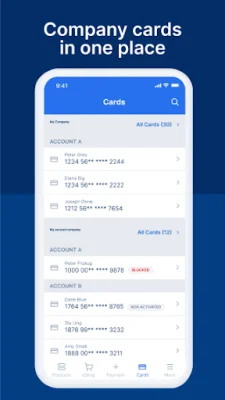
Latest Version
1.91.7
April 03, 2026
Slovenská sporiteľňa, a.s.
Finance
Android
0
Free
sk.slsp.business24
Report a Problem
More About Business24
The Business24 mobile application is a convenient and secure way to access your account information and make payments. To use the app, you will need an active Wi-Fi connection or a mobile data service from your operator. Before your first login, you will need to enter your login name and password, which are the same as the ones used for the Business24 website. Additionally, you will need an authentication tool in the form of an SMS key for added security.
This application was developed in collaboration with clients and currently offers the most commonly used features. However, there are plans to continuously improve and add new features in the future.
Logging into the mobile app is simple and can be done using your fingerprint, facial scan, or a 6-digit PIN code. This makes it quick and easy to access your account information on the go.
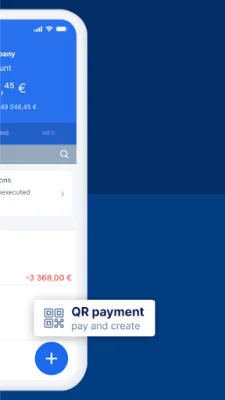
In addition to the traditional method of entering payment data, the app also allows you to make payments by scanning a QR code or IBAN number, using templates, or copying previous payments. These payments can be saved as templates and will automatically sync with the Business24 desktop version. You can also make SEPA, TARGET, and foreign payments through the app.
The app also offers a filtering feature, allowing you to sort executed payments by various criteria such as client, account, amount, currency, date, and type. This makes it easier to track and manage your payments.
You can customize the listing order of your accounts by simply dragging and dropping them in your preferred order. This allows for a more personalized and organized view of your accounts.
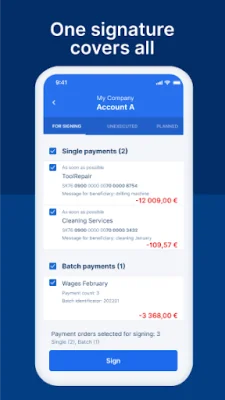
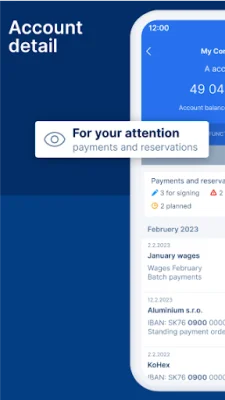
The mobile app also allows you to sign payments prepared by your accountant or other authorized person. You can also view a list of unrealized transactions and take action on them, such as repeating or deleting them. This gives you more control over your payments and helps you stay on top of your finances.
The Business24 mobile app is available in both English and Slovak, making it accessible to a wider range of users. And if you need assistance, you can easily contact the Client Center from your phone, whether you are in Slovakia or abroad. You can also reach out to the bank via email if needed.
Rate the App










Popular Apps









