

C-Prot AppLocker
by C-Prot (0 Reviews) November 18, 2025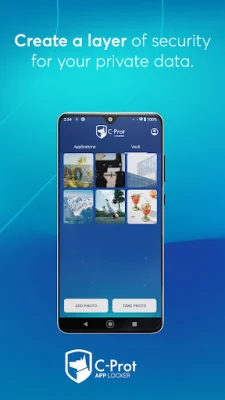
Latest Version
November 18, 2025
C-Prot
Tools
Android
0
Free
com.cprot.mobilesecurity.applocker
Report a Problem
More About C-Prot AppLocker
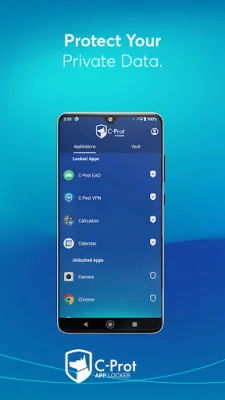
C-Prot Applocker is a free application that allows you to protect your private data, such as applications and photos, from unauthorized access. After downloading the app and starting your subscription, you can use all of its features. One of the main features of C-Prot Applocker is the application lock, which allows you to password protect your apps and prevent others from accessing them.
In addition to locking applications, C-Prot Applocker also offers a photo hiding feature. This feature encrypts and hides your private photos in your gallery, making them only accessible with a password. It also has a photo vault creation feature, which adds an extra layer of protection by storing your confidential photos in an encrypted area.
C-Prot Applocker also allows you to lock popular social media applications, such as Facebook, Twitter, and Instagram, to protect your private conversations from prying eyes. The app also prioritizes user privacy and offers a firewall to keep your data safe from unauthorized access.
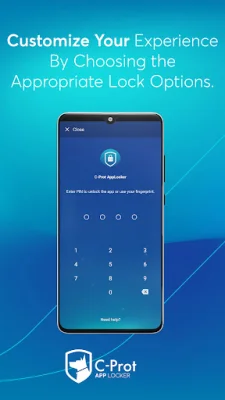
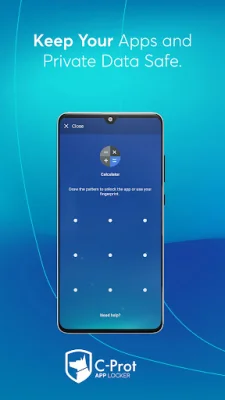
The user-friendly interface of C-Prot Applocker makes it easy to use and manage your security. You can easily set passwords, lock applications, hide photos and videos, and more. The app offers multiple locking functions, including Pattern Lock, Fingerprint Lock, and PIN Lock, to keep your apps, photos, and sensitive data safe.
In case of any issues or questions, C-Prot Applocker provides 24/7 customer support through email and chat. The app also has a privacy policy in place to ensure that your private data is not accessed or used without your consent. To give feedback about the app, you can send an email to [email protected]. C-Prot Applocker also assures users that it will never use permissions, such as Device Administrator and Accessibility service, to access their private data. These permissions are only used to prevent unauthorized removal of the app and improve unlocking efficiency.
Rate the App














Popular Apps









