

Campus Parent
1.10.6 by Infinite Campus, Inc. (0 Reviews) October 01, 2024
Latest Version
1.10.6
October 01, 2024
Infinite Campus, Inc.
Education
Android
0
Free
com.infinitecampus.parent.campusportalhybrid
Report a Problem
More About Campus Parent
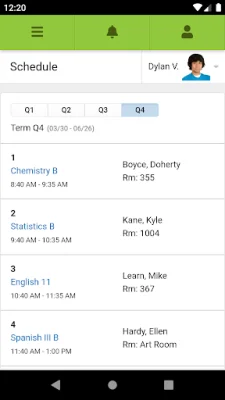
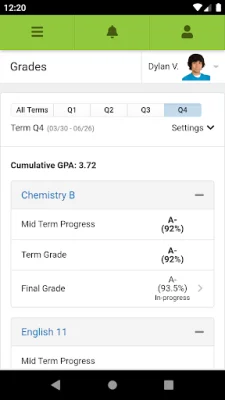
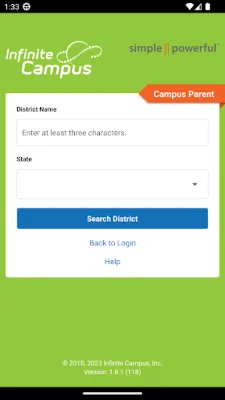
In order to access your student information and stay updated on your academic progress, you will need to download the Infinite Campus app. This app is available for download on both iOS and Android devices. Once you have downloaded the app, you will need to search for your specific school district and state. This will ensure that you are connected to the correct district and have access to the most up-to-date information.
After selecting your district, you will be prompted to enter your username and password. These login credentials will be provided to you by your school or district. It is important to keep this information confidential to protect your privacy and academic records.
One of the key features of the Infinite Campus app is the ability to receive notifications. These notifications can include alerts for grades, assignment scores, attendance changes, and more. This allows you to stay on top of your academic progress and be aware of any changes or updates in real-time.
If you encounter any issues or have questions about the app, you can visit the Infinite Campus website for support. The website, www.infinitecampus.com/appsupport, provides resources and assistance for using the app. However, it is important to note that Infinite Campus does not have access to individual login information due to privacy concerns. If you have trouble logging in, please contact your school or district for assistance.
Before downloading the app, it is important to make sure that your school district uses the Infinite Campus student information system. This is the system that the app is connected to and where your academic information is stored. Additionally, you will need an active Infinite Campus account in order to use the app. If you do not have an account, you will need to contact your school or district to set one up.
Finally, it is important to note that the Infinite Campus app is copyrighted and owned by Infinite Campus, Inc. This means that the app and its contents are protected by law and cannot be reproduced or used without permission. By using the app, you agree to abide by these copyright laws and respect the ownership of Infinite Campus, Inc.
Rate the App












Popular Apps









