

Canara Offline OTP
1.43 by CANARA BANK (0 Reviews) March 24, 2026

Latest Version
1.43
March 24, 2026
CANARA BANK
Finance
Android
0
Free
com.mds.canarabankapp
Report a Problem
More About Canara Offline OTP
This application allows users to access their internet banking account and perform various financial transactions. To begin, users must first login to their internet banking account. Once logged in, they can navigate to the Pay & Transfer tab and click on the 'OFFLINE OTP' section. Alternatively, they can search for the OFFLINE OTP option in the internet banking search menu. From there, they can select the Register/De-register option and click on Register, followed by Confirm. This will display a 16-digit activation code on the internet banking screen.
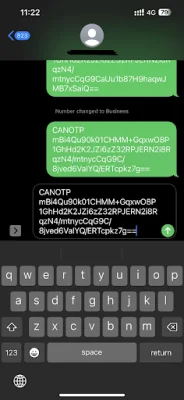
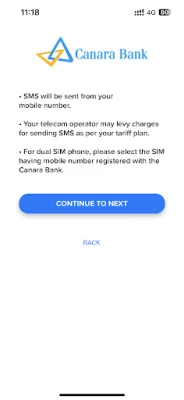
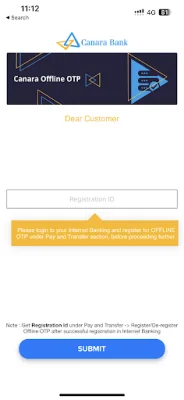
In order to use the Canara OTP app, users must first download it from the Google Play Store. After downloading, they can enter their customer ID and click on Submit. The app will automatically fetch the 16-digit activation code. A validation SMS will then be sent from the selected SIM card, and users must select their registered mobile number for validation. After sending the SMS, users can press the back button twice to return to the app.
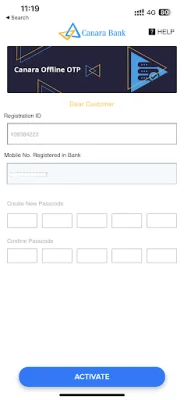
Once the validation process is complete, users can set a new 5-digit passcode to complete the one-time registration for the app. This makes it easy for users to perform financial transactions on the go, even without internet connectivity. However, it is important to note that internet connectivity is required for registration and de-registration. It is recommended to complete the activation process before traveling to an area with no mobile network coverage.
For financial transactions, users can follow the guide provided by the app. This includes logging in to internet banking, navigating to the Pay & Transfer tab, selecting Fund Transfer, and choosing the type of transfer (within bank or other bank). Users must then select the beneficiary, enter the amount and purpose, and provide their transaction password and 9-digit OTP from the Canara OTP app. After validation, the transaction will be successful.
One of the main advantages of the Canara OTP app is that it works offline and can generate OTPs without mobile network connectivity. This allows users to perform transactions while traveling or in areas with poor network coverage. However, it is important to note that internet connectivity is required for registration and de-registration. In case of any issues with the app, users can switch to SMS OTP by clicking on the "Send SMS OTP" option in the internet banking screen.
It is also important to note that the offline OTP facility is only available for post-login transactions and cannot be used for activities such as forgot user ID or password. If users wish to de-register the app, they can do so from the login/passcode entry screen or from internet banking. However, internet connectivity is required for the de-activation process. Overall, the Canara OTP app offers a convenient and secure way for users to perform financial transactions on the go.
Rate the App















Popular Apps









