

Chemung Canal & Capital Mobile
by Chemung Canal Trust Company (0 Reviews) May 15, 2026

Latest Version
May 15, 2026
Chemung Canal Trust Company
Finance
Android
0
Free
com.chemungcanaltrustcompany.mobile
Report a Problem
More About Chemung Canal & Capital Mobile
Log in with Touch ID is a mobile application that allows users to securely access their bank account information and perform various transactions using their fingerprint. The app ensures the safety of all data transmissions through 128-bit SSL encryption, making it difficult for unauthorized individuals to access sensitive information. Additionally, the app does not save any personal information, such as passwords, account numbers, or transaction details, on the user's mobile device.
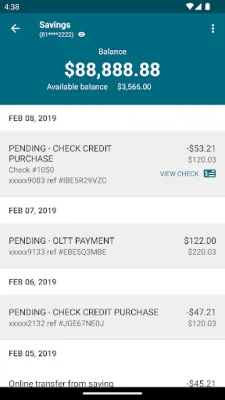
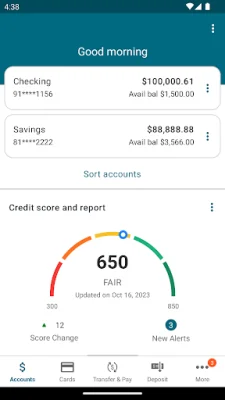
One of the main features of the app is the ability to monitor your account. Users can view their account balances, recent transactions, and pending deposits. They can also access a detailed transaction history and view images of posted checks. This allows users to keep track of their finances and stay informed about their account activity.
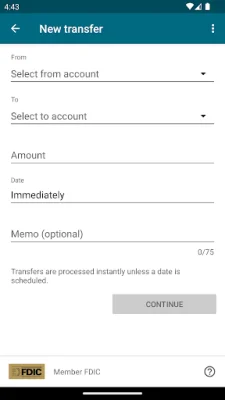
The app also allows users to perform various transactions, such as transferring money between their accounts, scheduling payments, and paying bills. It also offers the convenience of sending money to others using Zelle, a popular money transfer service. This makes it easy for users to manage their finances and make payments on the go.
Another useful feature of the app is Mobile Deposit, which enables users to deposit checks electronically by simply taking a photo of the front and back of the check with their smartphone. This eliminates the need to physically visit a bank branch or ATM to deposit a check, saving users time and effort.
The app also offers Card Control, a feature that allows users to protect their debit card by controlling how and where it can be used. Users can receive alerts for all transactions or customize alerts based on location, merchant, amount, and more. They can also use the Card On/Off feature to disable their card in case it is lost or stolen, providing an added layer of security.
Lastly, the app provides a convenient way to find branches and ATM locations. Users can easily locate the nearest branch or ATM using the app, making it easier for them to access their bank's services. In case of any questions or issues, users can also contact the bank's Contact Center or find them on Facebook for support. Overall, Log in with Touch ID is a user-friendly and secure mobile banking app that offers a range of features to help users manage their finances efficiently.
Rate the App















Popular Apps









