

Cisco Jabber
14.3.2.308676 by Cisco Systems, Inc. (0 Reviews) August 10, 2024


Latest Version
14.3.2.308676
August 10, 2024
Cisco Systems, Inc.
Communication
Android
0
Free
com.cisco.im
Report a Problem
More About Cisco Jabber
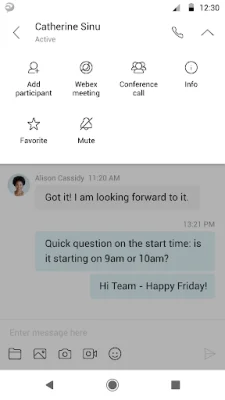
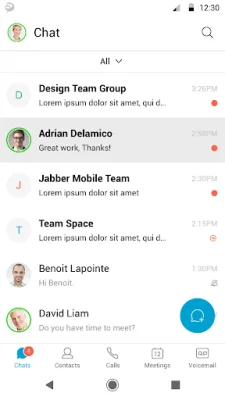
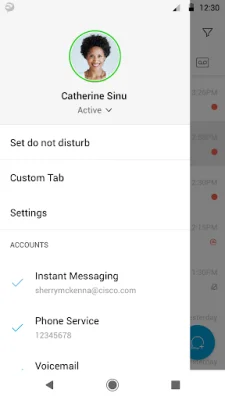
This application is designed to provide users with a variety of capabilities, including high-quality voice and video communication that is interoperable with Cisco TelePresence and other audio/video endpoints. It also allows for instant messaging and presence tracking in on-premises, Webex Messenger, or team messaging deployments. Additionally, users can access visual voicemail and easily escalate to Webex meetings with just one tap, launching the Cisco Webex® Meetings application. Meeting controls are also available for Cisco Meeting Server (CMS) meetings and Webex CMR meetings.
In order to use this application, users must have a compatible device and operating system. Cisco Jabber for Android Release 14.0 is officially supported on a variety of devices, including Blackberry, Google, HTC, Huawei, LG, Motorola, Nokia, OnePlus, Samsung, Sony Xperia, Xiaomi, and Zebra. It is also supported on select Chromebook models. Users should refer to the release notes for specific details on Android OS version, Chromebook support, and any potential updates.
It is important for administrators to enable the correct configurations for Cisco Jabber for Android when connecting to Cisco Unified Communications Manager. Failure to do so may result in connectivity issues. For more information, users can refer to the Cisco Jabber Installation and Configuration Guide.
While many features are available in this application, their availability may vary depending on the specific system configuration. Users should consult with their IT administrator to determine which features are available to them.
Some portions of Cisco Jabber are licensed under the GNU Lesser General Public License (LGPL). Users can obtain a copy of the LGPL license at http://www.gnu.org/licenses/lgpl-2.1.html. Cisco, Cisco Unified Communications Manager, and Cisco Jabber are trademarks of Cisco Systems, Inc. All rights reserved.
By tapping "Install," users agree to install Jabber and all future software updates, and accept the terms of service and privacy statement provided by Cisco. For more information about Cisco Jabber, users can visit http://www.cisco.com/go/jabber. If users have any feedback, they can email [email protected].
Rate the App















Popular Apps









