
Class Notebooks
11.00 NightMode by Adriano Moutinho (0 Reviews) April 15, 2026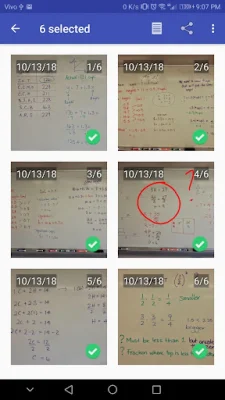
Latest Version
11.00 NightMode
April 15, 2026
Adriano Moutinho
Education
Android
0
Free
ammsoft.photoClassNotebook
Report a Problem
More About Class Notebooks
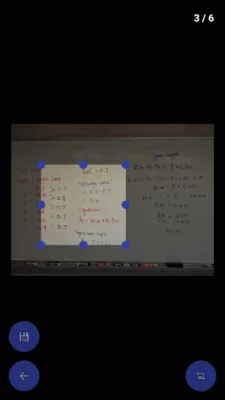
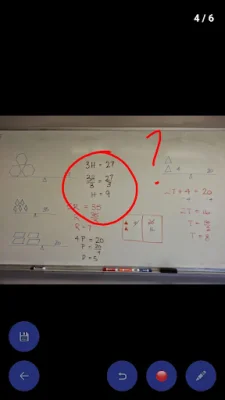
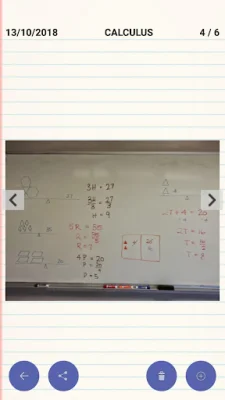
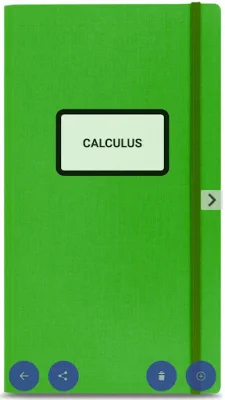
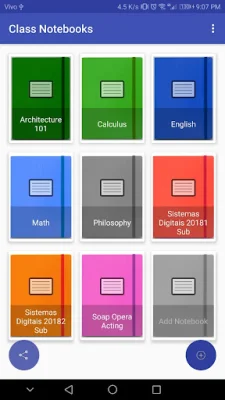
Class Notebooks is a new app that is currently in development and is designed to be simple, low-cost, and user-friendly. It aims to solve the common problem of disorganized phone galleries, especially for students who often have a lot of photos related to their classes. With this app, you can easily create notebooks to organize your photos, add comments, change dates, and arrange them in a specific order. One of the key features of Class Notebooks is its ability to crop and edit photos with just a few simple touches. This makes it easier to highlight important information in photos of whiteboards, documents, and other class-related pictures. Additionally, the app uses a special compression technique to reduce the storage requirements for the photos stored in the notebooks. This means you can store more photos without taking up too much space on your phone. You can access all your class notebooks in the "dcim\notepads" directory or through your phone's gallery app. The app also supports backup and restore to Google Drive, ensuring that you never lose your notebooks even if you switch to a new phone. And if you want to share your notebook with someone else, you can easily do so by sending it as a PDF or Zip file. Class Notebooks is designed to be user-friendly and easy to learn, making it a practical solution for organizing your class-related photos. So say goodbye to the mess in your phone gallery and give Class Notebooks a try. It's simple, practical, and SEO-oriented, making it a great choice for students looking to stay organized.
Rate the App














Popular Apps









