

Co Co Beta: Browse securely
131.1.292 by Cốc Cốc (0 Reviews) August 21, 2024

Latest Version
131.1.292
August 21, 2024
Cốc Cốc
Communication
Android
0
Free
com.coccoc.trinhduyet_beta
Report a Problem
More About Co Co Beta: Browse securely
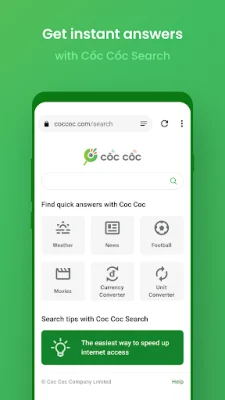
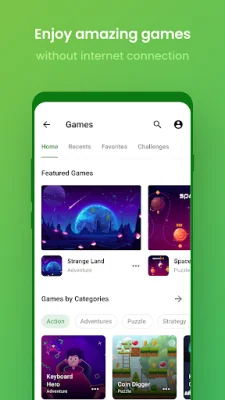
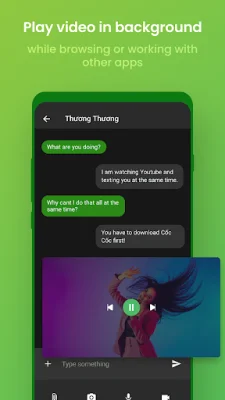
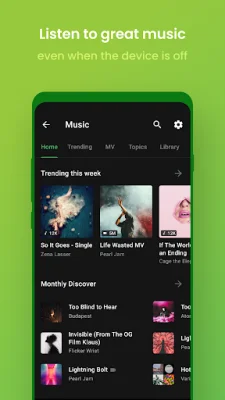
Co Co Mobile is a powerful web browser that offers a variety of features to enhance your browsing experience. One of its main features is its integration of Adlock Plus technology, which effectively blocks malicious and annoying ads while you browse the web. This makes for a smoother and more enjoyable browsing experience without the constant interruptions of pop-up ads and auto-redirects. In addition to its ad-blocking capabilities, Co Co Mobile also offers unlimited entertainment options. With fast download speeds that are 8 times faster than other browsers, you can quickly and easily download files. The Cinema Mode feature allows you to watch videos in fullscreen mode and personalize your experience with advanced settings such as adjusting volume, brightness, and seeking in the video using touch gestures. You can also continue watching videos in Picture-in-Picture mode (PiP) while using other apps, and even play audio in the background while your screen is off. Co Co Mobile also features a smart AI chat assistant, Cốc Cốc AI Chat GPT-3.5, which can help you with a variety of tasks such as idea generation, content creation, text translation, and even planning a travel itinerary or workout routine. This feature allows you to get things done faster and more efficiently. The browser also offers multiple browsing utilities, including more than 20 vertical searches for news, entertainment, and education, as well as a voice search and QR code scanner. The AI Search Summarizer Assistant automatically summarizes information from multiple sources for you, saving you time and providing more concise and relevant answers. You can also lock the Co Co app with a PIN code, Touch ID, or Face ID for added security. Other features of Co Co Mobile include a dark mode for reduced eye strain and battery saving, synchronization of bookmarks, passwords, and browsing history across all your devices, and the ability to earn points for your daily browsing activities. These points can be redeemed for gifts or used to participate in games with valuable rewards. To make Co Co Mobile your default web browser on your Android device, simply follow the instructions within the app or go to Settings > Apps > Co Co > Set as your default browser. With its powerful ad-blocking technology, unlimited entertainment options, smart AI chat assistant, and multiple browsing utilities, Co Co Mobile is the perfect choice for those looking for a seamless and enjoyable browsing experience. Download it today and join the Co Co community on their website, YouTube, Facebook, blog, and community page. Choose entertainment, choose Co Co!
Rate the App















Popular Apps









