
Compass
2.3.1 by melon soft (0 Reviews) December 10, 2025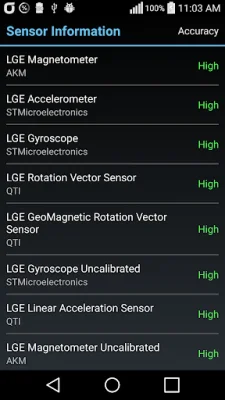
Latest Version
2.3.1
December 10, 2025
melon soft
Tools
Android
0
Free
app.melon.icompass
Report a Problem
More About Compass
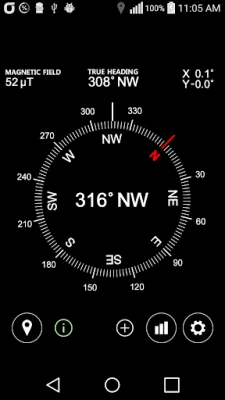
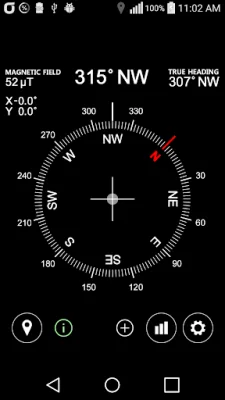
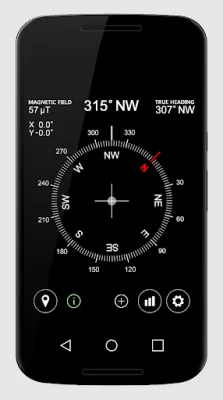
This application is designed to provide users with a variety of information related to their current location and device orientation. It offers features such as displaying the true north, latitude and longitude coordinates, altitude and speed, sensor state, level, magnetic field power, and device slope angle. Users can also make use of the level error correction feature to ensure accurate readings. Additionally, the app allows users to connect to Google Maps for a more comprehensive view of their location.
One of the main functions of this app is to show the true north. This is useful for navigation purposes, as it allows users to determine their direction in relation to the Earth's magnetic field. The app also displays the latitude and longitude coordinates, which can be helpful for pinpointing a specific location or tracking movement. Along with this, users can view their altitude and speed, providing them with a better understanding of their current position and movement.
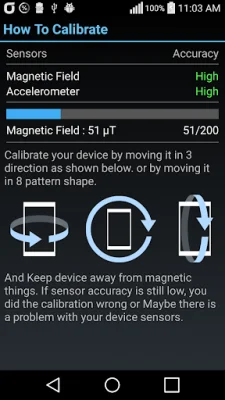
The app also includes a feature to show the sensor state, which indicates the status of the device's sensors. This can be useful for troubleshooting any issues with the device's sensors. Additionally, the app displays the level, which can be used to determine if a surface is flat or not. This feature can come in handy for tasks that require precision, such as hanging a picture frame or building furniture.
Another useful feature of this app is the ability to show the magnetic field power. This can be helpful for detecting any magnetic interference in the surrounding area. The app also displays the device's slope angle, which can be useful for activities such as hiking or skiing, where knowing the slope of the terrain is important for safety.
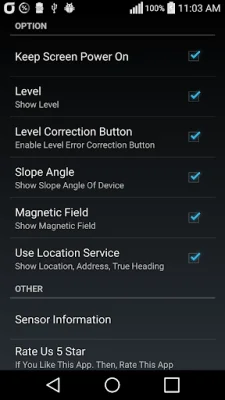
To ensure accurate readings, the app offers a level error correction feature. This allows users to calibrate the level and adjust for any errors. Finally, the app allows users to connect to Google Maps, providing them with a more comprehensive view of their location and surroundings. Users can select which information they want to display, making the app customizable and user-friendly.
Rate the App












Popular Apps









