
Complications Suite - Wear OS
by amoledwatchfaces™ (0 Reviews) September 27, 2024
Latest Version
September 27, 2024
amoledwatchfaces™
Tools
Android
0
Free
com.weartools.weekdayutccomp
Report a Problem
More About Complications Suite - Wear OS
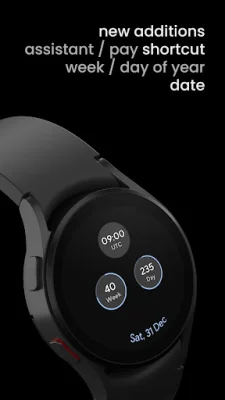
This app, available at https://amoledwatchfaces.com/apps, offers a variety of custom complications for smartwatches. These complications include features such as Week of Year and Day of Year, World Clock and UTC, and Moon Phase. The app is regularly updated with new custom complications, and users can also contribute to the app's development through GitHub.
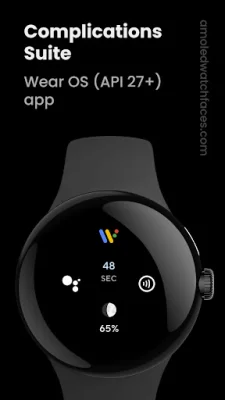
To set up a custom complication, users can long press the center of their watch face, tap the customize button, and then choose from the available complications. The app supports a wide range of custom complications, including Date, Week of Year, Day of Year, World Clock, Seconds, Pay, Assistant, Wear OS logo, Custom Text, Moon Phase, Sunrise Sunset, Sunrise & Sunset Countdown, Developer Options, Countdown to date, Water Intake, Barometer, and Dynamic Calendar Icon.
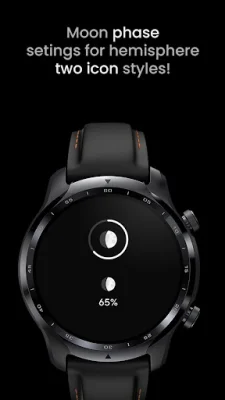
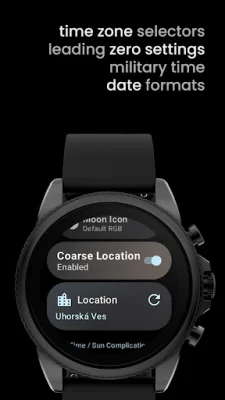
It's important to note that the Sunrise & Sunset Complication requires coarse location permission to be enabled in the app's UI. If the location is not available, the app will not collect it in the background. Additionally, the Moon Phase Complication will adjust the Moon Icon angles based on the observer's position for a more accurate visual.
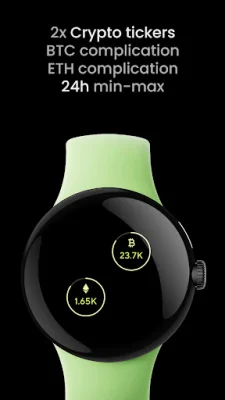
The app also offers Crypto Complications for Bitcoin and Ethereum, displaying their current prices in USD. Users can tap on certain custom complications to launch different activities, such as setting time zones, adding alarms, accessing the calendar, launching Google Pay or Assistant, and refreshing the latest crypto prices.
For more information and support, users can visit the app's website at https://amoledwatchfaces.com or join the Telegram group at t.me/amoledwatchfaces. The app's developers also offer a newsletter for updates and news related to the app. Overall, this app provides a wide range of custom complications for smartwatch users to enhance their experience and stay organized.
Rate the App









Popular Apps









