

Contact Backup PDF VCF & Excel
by Million Dollar (0 Reviews) November 06, 2025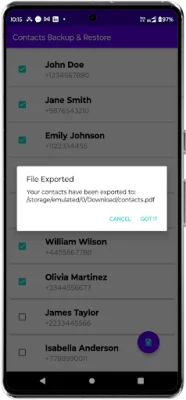

Latest Version
November 06, 2025
Million Dollar
Tools
Android
0
Free
backup.and.restore.my.contacts
Report a Problem
More About Contact Backup PDF VCF & Excel
This application allows you to easily backup your contacts on your device. The first step is to grant the necessary permissions after installing the app. This will enable the backup functionality and ensure that your contacts are securely saved.
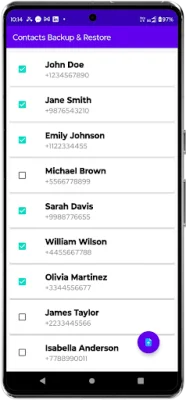
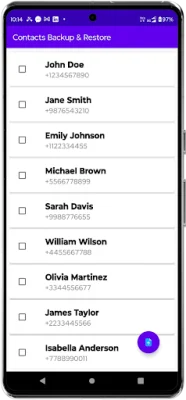
Next, you will need to locate the floating action button, which is located at the bottom right corner of the screen. This button is used to initiate the export process.
Once you tap on the floating action button, a menu will appear with different export options. You can choose to export all of your contacts or manually select specific contacts to backup.
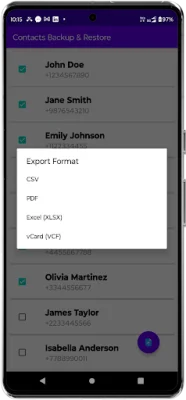
After selecting your preferred export option, you will need to choose the file format in which you want to save your contacts. The app offers various formats such as Excel, PDF, CSV, and VCard (VCF) to suit your needs.
Once the export is complete, your backup file will be saved in the Downloads folder on your device. From there, you can easily access, share, or store the file for future use.
One of the great features of this app is that it works completely offline, so you do not need an internet connection to backup your contacts. This ensures that your data remains safe and secure. With just a few simple steps, you can easily backup your contacts and have peace of mind knowing that your important information is always backed up.
Rate the App














Popular Apps









