

Conversations (Jabber / XMPP)
2.16.5+playstore by Daniel Gultsch (0 Reviews) August 31, 2024



Latest Version
2.16.5+playstore
August 31, 2024
Daniel Gultsch
Communication
Android
0
$5.49
eu.siacs.conversations
Report a Problem
More About Conversations (Jabber / XMPP)
The application, called Conversations, is designed to be both visually appealing and user-friendly while still maintaining a high level of security and privacy. It follows established protocols and does not require a Google Account or Google Cloud Messaging. Additionally, it only asks for the necessary permissions to function, minimizing the amount of access it has to a user's device.
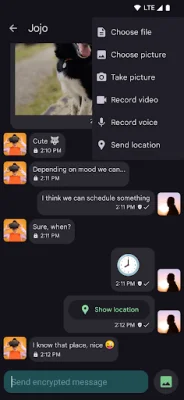
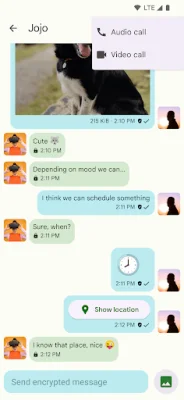
Some of the key features of Conversations include end-to-end encryption using either OMEMO or OpenPGP, encrypted audio and video calls, and the ability to send and receive images. The user interface is designed to be intuitive and follows the guidelines set by Android. Contacts can also have pictures or avatars associated with them, and the application can sync with a desktop client.
Conversations also offers features specific to the XMPP protocol, which is used by the application. These include the ability to integrate with the user's address book, support for multiple accounts and a unified inbox, and the option to join conferences with bookmark support. However, some of these features may not be available if the user's XMPP server does not support certain extensions.
To fully utilize all of Conversations' features, it is recommended to either switch to an XMPP server that supports the necessary extensions or to run your own server. These extensions include SOCKS5 Bytestreams for transferring files, Personal Eventing Protocol for avatars, and Message Archive Management for synchronizing message history with the server. Other extensions help with network outages, bandwidth management, and file sharing.
In summary, Conversations is a secure and user-friendly messaging application that follows design principles to provide a visually appealing and easy-to-use experience. It offers features such as end-to-end encryption, audio and video calls, and image sharing, and integrates with the XMPP protocol for additional functionality. To fully utilize all features, it is recommended to use an XMPP server that supports the necessary extensions or to run your own server.
Rate the App















Popular Apps









