
CPU X - Device & System info
3.9.1 by Absut (0 Reviews) August 06, 2024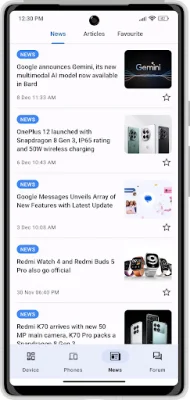
Latest Version
3.9.1
August 06, 2024
Absut
Tools
Android
0
Free
com.abs.cpu_z_advance
Report a Problem
More About CPU X - Device & System info
This application allows you to connect with technology enthusiasts from all over the world to exchange ideas and share knowledge. You can engage in discussions, ask questions, and provide answers on various topics related to technology. It also offers a range of features to enhance your device experience and keep you updated with the latest technology news and articles.
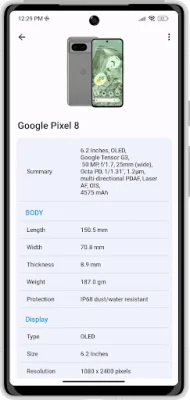
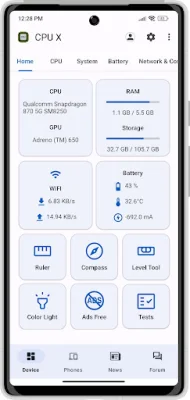
One of the main features of this application is the Device Specifications tool, which provides comprehensive information about your device such as processor, cores, speed, model, RAM, camera, and sensors. This can be useful for troubleshooting issues or comparing your device with others.
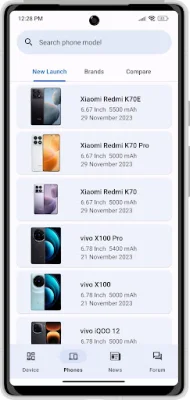
You can also use the Search Smartphones feature to access detailed specifications of Android smartphones. This can be helpful when researching for a new device or comparing different models.
The Internet Speed Monitor feature allows you to view your current download and upload speed in notifications, as well as the combined speed in the status bar. This can help you keep track of your internet speed and troubleshoot any connectivity issues.
The Battery Monitor feature displays the charging or discharging electric current in milliampere and the temperature of your battery in notifications. This can help you monitor your battery usage and identify any potential issues.
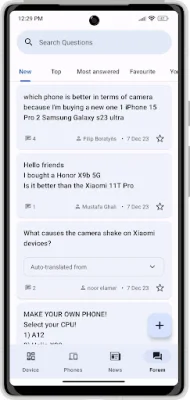
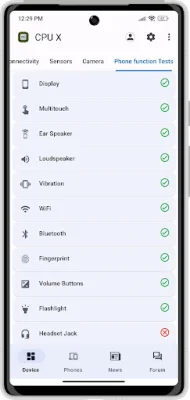
In addition to these features, the application also offers a dedicated question and answer forum where you can get answers to your queries from experts in the field. You can also test your device's functionalities such as display, multitouch, ear speaker, loudspeaker, vibration, Wi-Fi, Bluetooth, fingerprint, volume buttons, flashlight, headset jack, and charging port.
The Tools section includes a ruler for accurate distance measurement in centimeters and inches, a compass that uses the magnetic sensor in your device to show the magnetic north of Earth, and a bubble level to indicate whether a surface is level or not in the horizontal plane. There is also an emergency signal feature that displays a colored screen light with text to signal in emergency situations.
Lastly, the application offers a semi-transparent widget for your home screen that displays important information about your device's status at a glance. This can include battery life, internet speed, and more. With its range of features and tools, this application aims to enhance your device experience and keep you informed about the latest technology updates.
Rate the App















Popular Apps









