

Cricket Visual Voicemail
3.10.0.101260 by Cricket Wireless LLC (0 Reviews) August 30, 2024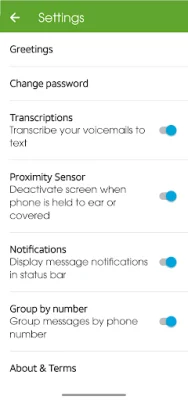



Latest Version
3.10.0.101260
August 30, 2024
Cricket Wireless LLC
Communication
Android
0
Free
com.mizmowireless.vvm
Report a Problem
More About Cricket Visual Voicemail
Visual Voicemail is a convenient and user-friendly application that allows you to manage your voicemail messages in a more efficient way. With this app, you can easily view a list of your voicemail messages and play, delete, or save them in any order you prefer. You also have the ability to pause, stop, replay, and fast forward messages while playing, giving you more control over your voicemail experience. Additionally, you can reply to messages by returning the call or sending a text message, making it easier to stay connected with your contacts.
One of the great features of Visual Voicemail is the ability to easily change your recorded greeting. This means you can personalize your voicemail message to suit your needs or update it whenever necessary. You can also save important messages to your phone or memory card, ensuring that you have access to them whenever you need them.
Another advantage of using Visual Voicemail is that receiving voicemail through the app will not count against your high-speed data quota. This means you can listen to your messages without worrying about using up your data. However, it's important to note that downloading the app and responding to voicemails using email will count against your high-speed data quota.
If you encounter any problems while using the app, there's no need to worry. The app provides various ways to get help, such as contacting customer support through Facebook, Twitter, or online chat. You can also call the customer support hotline for assistance. Additionally, during the initial setup, the app may send a free one-time SMS to your Cricket Voicemail service to authenticate your account.
In summary, Visual Voicemail is a useful and efficient app that simplifies the management of your voicemail messages. With its various features and easy-to-use interface, it's a great tool for staying connected and organized. And with the added benefit of not using up your high-speed data, it's a must-have for anyone looking to streamline their voicemail experience.
Rate the App















Popular Apps









