
Danske ID - Danske Bank
1.7.1 by Danske Bank (0 Reviews) April 13, 2026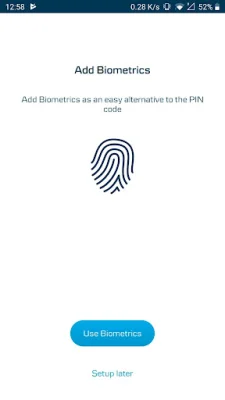
Latest Version
1.7.1
April 13, 2026
Danske Bank
Finance
Android
0
Free
com.danskebank.danskeid
Report a Problem
More About Danske ID - Danske Bank
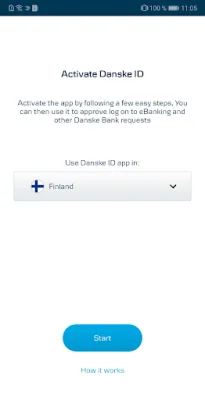
If you want to use this app, you will need to have an account with eBanking or be a registered District User. This means that you must have an existing account with Danske Bank and have registered for their online banking services. Once you have met this requirement, you can download the app onto your device and follow the steps to activate it.
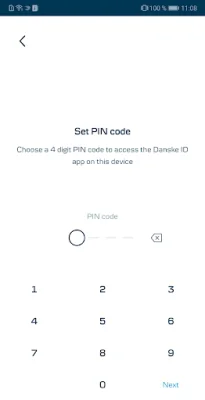
The first time you use the app, you will need to enter your eBanking User ID or District User ID, as well as your Passcode or Password. You will also need to create a unique PIN code to use when logging into the app. This is for added security and it is recommended that you choose a PIN that you do not use for any other accounts.
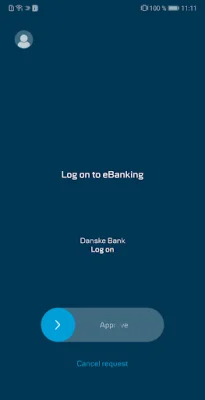
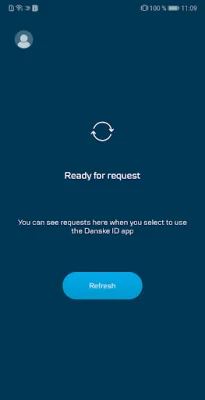
Once the activation process is complete, you can start using Danske ID. Simply log in and follow the prompts from Danske Bank to approve any actions. If you need more information about Danske ID, you can visit their website for details specific to your country.
It is important to note that if you are a business customer, you must be a registered District User to use Danske ID. However, if you are a personal customer aged 13 years or older and have an eBanking account with Danske Bank in the UK, you can use many features of Danske ID. Just make sure you have registered and logged into eBanking before using the app. Please also be aware that the app may be temporarily unavailable during routine maintenance.
This app is considered a financial promotion by the Financial Conduct Authority. Danske Bank is a trading name of Northern Bank Limited, which is authorized by the Prudential Regulation Authority and regulated by the Financial Conduct Authority and the Prudential Regulation Authority. The company is registered in Northern Ireland and is a member of the Danske Bank Group. For more information, you can visit their website.
Rate the App











Popular Apps









