

Data Sharing - Tethering
2.2.4 by Awake Idea (0 Reviews) August 16, 2024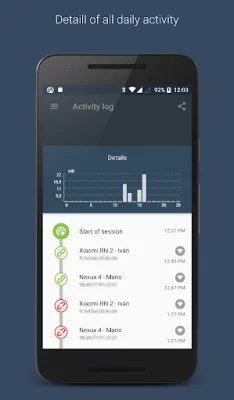


Latest Version
2.2.4
August 16, 2024
Awake Idea
Communication
Android
0
Free
com.awake.datasharing
Report a Problem
More About Data Sharing - Tethering
Data Sharing is an app that helps you manage and control your WiFi hotspot and tethering services. It allows you to share your mobile data with other devices while keeping track of your data consumption and setting limits to avoid overspending. With this app, you can have peace of mind while sharing your data, knowing exactly how much you are using and preventing any surprises.
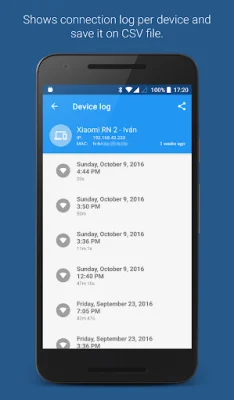
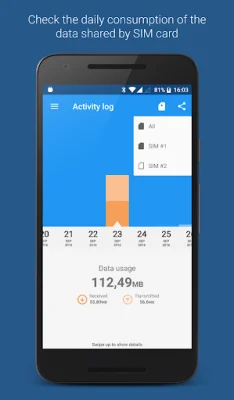
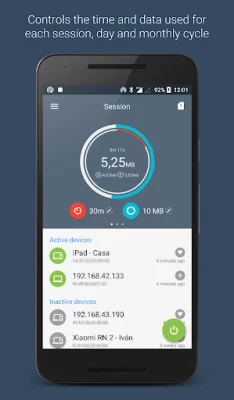
The app offers various features to help you manage your data sharing. You can start or stop the shared data service for WiFi hotspot and Bluetooth tethering interfaces. You can also set time and data usage limits for these interfaces, either by session, day, or monthly cycle. Additionally, you can view connected devices and modify their names or hide them from the list. The app also allows you to check the activity of each device and provides a daily data usage chart with detailed information.
For those who upgrade to the pro version, there are even more features available. The app can automatically stop the shared data connection when one of the limits (data, time, or battery level) is reached. It also notifies you when the fixed limits are exceeded and can automatically stop the connection after a set inactivity time. Other pro features include a device connect tone, the ability to export statistics to CSV, and support for multisim devices. You can also set the app to start tethering interfaces on boot.
The usage of the app is simple and straightforward. To share via WiFi hotspot, you just need to open the app, tap on the start button, and then tap the WiFi AP button. The app will activate the WiFi hotspot, and you can connect to it using the WiFi name provided. For sharing via Bluetooth, you need to open the app, tap on the start button, and then tap the Bluetooth button. From there, you can go to your device's Bluetooth settings and pair it with the device you want to share data with. For USB sharing, you will need to install your device's USB drivers, connect your laptop via USB, and then open the app to start the USB tethering.
If you have any questions or want to connect with the app's developers, you can follow their G+ community. The app also requires certain permissions, which are explained in detail in the provided link. If you want to help translate the app to your language, you can contact the developers via email. It is also worth noting that the app does not require root access and is compatible with Android devices with version 4.1 and up. However, for Xiaomi MIUI devices, you will need to enable Auto Start in the Security app for the app to function properly.
Rate the App













Popular Apps









